Introduction
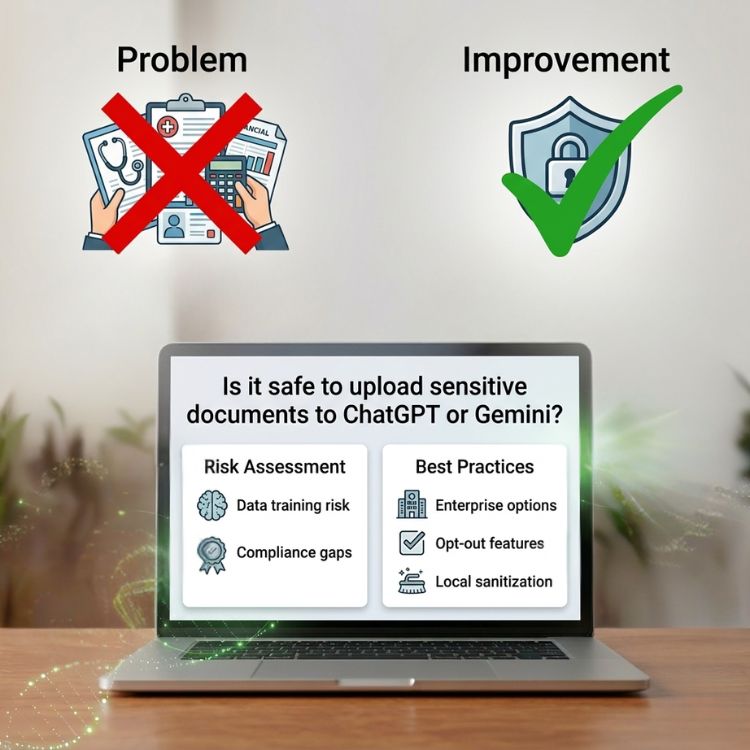
Artificial intelligence tools such as ChatGPT and Gemini have quickly become essential for editing, summarizing, translating, and analyzing documents. Many people now upload contracts, business reports, resumes, invoices, or research papers directly into these platforms to speed up their workflow. But an important question remains: is it safe to upload sensitive documents to AI tools?
When files contain confidential information—such as personal data, financial records, company documents, or legal materials—users must be cautious about how and where they share them.
In this article, we’ll explore the real risks of uploading sensitive documents to AI, what happens to your files after upload, and how to protect your information before using AI tools. We’ll also explain a safer workflow that lets you clean, edit, and prepare documents before sending them to an AI assistant.
Why People Upload Sensitive Documents to AI Tools
AI assistants are extremely powerful when working with documents. Users commonly upload files to:
- Summarize long reports
- Extract key points from contracts
- Rewrite or improve writing
- Translate documents
- Generate structured content from notes
- Analyze datasets or text
For example, both ChatGPT and Gemini can read PDF files, Word documents, spreadsheets, and other formats.
However, uploading files means the data leaves your device, which raises questions about privacy, storage, and potential data exposure.
What Happens to Your Documents After Uploading Them?
When you upload documents to AI tools, several things may happen depending on the platform:
- The file is temporarily processed
- Text is extracted and analyzed
- The content may be stored for a period of time
- Data could potentially be used to improve the model (depending on settings)
Most major AI providers state that they use security protections and allow users to disable training in many cases. Still, any document containing sensitive information should be handled carefully.
Examples of sensitive documents include:
- Legal contracts
- Personal identification documents
- Financial statements
- Medical records
- Corporate strategy documents
- Confidential research
Uploading these files without removing private information may expose data unnecessarily.

The Biggest Risks when you Upload Sensitive Documents to AI tools
1. Personal Data Exposure
Documents often contain personally identifiable information (PII), such as:
- Names
- Addresses
- Phone numbers
- ID numbers
- Financial details
If these details are included in files uploaded to AI tools, they may remain in system logs or temporary storage.
Even if platforms implement strong security practices, minimizing exposure is always safer.
2. Corporate Confidentiality Issues
Businesses increasingly use AI to review internal documents.
However, uploading files that include:
- Client lists
- Internal communications
- Business strategies
- Intellectual property
could potentially violate company data policies or compliance rules.
Many organizations now require employees to sanitize documents before using AI tools.
3. Metadata and Hidden Information
Documents frequently contain hidden information, including:
- Author names
- Edit history
- Comments
- Tracked changes
- File metadata
Even if the visible content looks safe, these hidden elements may reveal sensitive details.
Cleaning a document before uploading it is an important security step.

Best Practice: Clean Your Documents Before Using AI
The safest approach to upload sensitive documents to AI tools:
Edit and clean your document first before using AI.
Before uploading files to platforms like ChatGPT or Gemini, you should remove or anonymize sensitive information.
Steps to prepare documents safely
- Remove personal identifiers (names, IDs, addresses)
- Delete confidential company information
- Remove comments and tracked changes
- Strip metadata
- Replace sensitive data with placeholders
Example:
Instead of uploading:
“John Smith, Account Number 4582739, signed this agreement…”
Use:
“[Client Name], Account Number [REDACTED], signed this agreement…”
This allows AI tools to analyze the structure and content without exposing real data.
Use Browser-Based Tools to Clean Files First
Before sending documents to AI platforms, it’s often helpful to edit them in a neutral environment that doesn’t require account logins or permanent storage.
For example, browser-based platforms such as OffiDocs allow users to open and modify documents directly in the browser.
Benefits include:
- No local installation required
- Quick editing and formatting
- Ability to remove sensitive sections
- Exporting a clean version of the file
Similarly, tools like GoGPT allow users to interact with AI models from a web interface.
Using a pre-processing step helps ensure that only necessary information reaches the AI system.
Use PDF Tools to Remove Sensitive Content
Many documents are shared as PDFs, which can contain hidden information.
Using online PDF tools can help you:
- Remove pages
- Redact sensitive sections
- Convert documents to text
- Extract only necessary content
Cleaning PDFs before uploading them to AI assistants significantly reduces privacy risks.
A Secure Workflow for AI Document Processing
If you frequently work with sensitive documents, adopting a structured workflow can improve security.
A safe AI workflow may look like this:
Step 1: Open the document in a secure editor
Use a browser-based editing environment such as OffiDocs to review the file.
Step 2: Remove confidential information
- Delete personal data
- Remove hidden metadata
- Redact sensitive sections
Step 3: Export a sanitized version
Save a clean copy of the document that contains only the necessary text.
Step 4: Process the document with AI
Upload the cleaned file to tools like GoGPT, ChatGPT or Gemini for analysis, summarization, or rewriting.
Step 5: Store files in a secure cloud workflow
Platforms such as MegaDisk allow users to maintain organized document storage and manage files across multiple tools.
When It May Not Be Safe to Upload sensitive documents to AI tools
There are situations where you should avoid uploading files entirely, including:
- Confidential legal agreements
- Personal identity documents
- Medical records
- Financial account data
- Proprietary company research
In these cases, it may be safer to copy only the necessary text, remove identifying details, and then submit that smaller portion for AI processing.
The Future of AI and Document Privacy
AI platforms continue improving their security practices and privacy controls. Many services now allow users to:
- Disable model training
- Use enterprise-level privacy protections
- Control data retention policies
Still, user responsibility remains a key factor in protecting sensitive information.
Learning to sanitize documents before uploading them will remain an important skill as AI becomes integrated into everyday workflows.
Here’s a concise SEO-friendly FAQ section you can add at the end of the article:
FAQ: Is it safe to upload documents to AI tools?
Is it safe to upload documents to AI tools?
It can be safe for general content, but you should avoid uploading sensitive or confidential information. Always review and clean your documents before sharing them with AI tools.
What counts as sensitive information in a document?
Sensitive data includes:
- Personal details (name, address, ID numbers)
- Financial information
- Legal or contractual content
- Medical records
- Business or proprietary data
If your document contains any of these, it should be sanitized before uploading.
Can AI tools store or use my uploaded data?
Depending on the platform and your settings, uploaded data may be temporarily stored or used to improve services. Always check privacy settings and disable data training when possible.
How can I make a document safe before uploading it?
You can protect your data by:
- Removing personal identifiers
- Deleting comments and tracked changes
- Stripping metadata
- Replacing sensitive details with placeholders
Using tools like OffiDocs can help you edit and clean files directly in your browser.
Should I upload full documents or just excerpts?
Whenever possible, upload only the relevant sections instead of the entire file. This minimizes the risk of exposing unnecessary information.
What is the safest workflow for using AI with documents?
A secure approach includes:
- Clean and edit the document
- Remove sensitive information
- Export a safe version
- Upload it to AI tools
You can also store and manage files securely using platforms like MegaDisk.
Final Thoughts
AI tools such as ChatGPT and Gemini can dramatically improve productivity when working with documents.
However, uploading files without reviewing them first can expose private or confidential data.
The safest approach is simple:
Always edit and clean your document before using AI.
By removing sensitive information, stripping metadata, and using a secure workflow with tools like OffiDocs and MegaDisk, you can benefit from AI capabilities while protecting your data.
As AI adoption grows, responsible document handling will become an essential part of digital security.