

Weather Cloud Shadow effect Free icon download
Download all to grab every PNG variant.
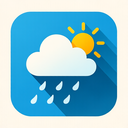
The weather cloud icon is a masterfully crafted digital representation that seamlessly blends functionality with aesthetic elegance. At its core, this icon embodies the essence of meteorological elements through the central motif of a cloud — not just any cloud, but one rendered with meticulous attention to detail and atmospheric nuance. The cloud itself is depicted as a voluminous, soft cumulus formation, suggesting both serenity and potential change in weather patterns. Its shape is carefully designed with gentle curves that mimic natural cloud formations seen across the sky during transitional weather conditions — neither too fluffy nor too dense, striking a perfect balance between realism and stylization.
Each curve within the cloud's silhouette has been thoughtfully placed to convey depth and movement. The upper portion features a slightly rounded apex, evoking the natural tendency of clouds to expand upward as moisture condenses in cooler air layers. Beneath it, multiple layered segments follow a soft undulating pattern, suggesting internal stratification — like the subtle divisions within real-world cloud masses. These layers are not rigid or uniform; instead, they gently fade from darker gray to lighter silver at their edges, simulating natural light diffusion and providing an impression of three-dimensionality. This interplay of tones enhances the visual realism and makes the icon feel more dynamic than a flat silhouette would.
Crucially, this icon is defined by its pronounced shadow effect — a deliberate design choice that adds depth, contrast, and a sense of presence on any digital interface. The shadow extends beneath the cloud at a 45-degree angle, with soft edges that mimic natural light casting. Unlike harsh or sharp shadows that might appear artificial or jarring, this one is blurred slightly to emulate real-world lighting conditions where ambient light diffuses softly around objects. The gradient from solid black to transparent gray creates a convincing illusion of the cloud hovering above a surface, as if it's suspended in mid-air rather than flat on a screen. This shadow effect also enhances legibility by defining the icon’s boundaries clearly against varied backgrounds.
What sets this weather cloud icon apart is how effectively it integrates all three key elements — Weather, Cloud, and Shadow Effect — into a cohesive whole. The theme of weather is not merely implied by the presence of a cloud; rather, the entire composition evokes mood and forecast potential. The slightly darker tones in the lower left portion of the cloud suggest an impending change in conditions — perhaps rain or overcast skies — while maintaining a peaceful, non-threatening appearance. It’s an icon that communicates more than just "cloudy"; it whispers "watch out for shifting weather" without being alarmist.
The cloud's form is also imbued with subtle internal gradients and texture details. Tiny speckled patterns are scattered across its surface at strategic points, simulating the microscopic water droplets and ice crystals that make up real clouds. These aren’t overpowering features — they’re barely perceptible unless viewed closely — yet they contribute significantly to the icon’s realism. The combination of these minute textures with the soft shadow beneath ensures that even on small display sizes (such as mobile app icons), the design remains distinct and recognizable.
From a technical perspective, this icon is optimized for scalability across multiple devices and resolutions. Whether rendered at 24x24 pixels for a menu bar or 128x128 pixels in a weather application dashboard, the cloud maintains its integrity thanks to vector-based design principles. The shadow effect adjusts proportionally to preserve visual harmony, ensuring the icon never appears too heavy or too light depending on size.
Overall, this weather cloud icon stands as a testament to thoughtful design. It captures the poetic beauty of atmospheric phenomena while serving a practical purpose in digital interfaces. Through its harmonious integration of form (cloud), meaning (weather), and depth (shadow effect), it transforms a simple symbol into an emotionally resonant visual cue — one that speaks to both users' rational need for information and their subconscious appreciation for natural aesthetics.
Create your own icon with our GoGPT AI prompt:
GoGPT