

Weather Lock Monochrome Free icon download
Download all to grab every PNG variant.
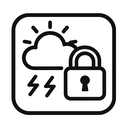
The monochrome weather lock icon represents a powerful fusion of three seemingly disparate concepts—weather, security, and visual minimalism—into a single, cohesive symbol. This design transcends mere aesthetic appeal by embodying functionality, emotional resonance, and conceptual depth through the deliberate use of a monochrome palette that focuses exclusively on black and white elements. At first glance, the icon appears simple—a streamlined shape combining stylized weather indicators with the symbolic representation of security through a lock motif—but upon closer examination, it reveals layers of meaning rooted in contemporary digital interface design philosophy.
At its core, the icon’s primary function is to communicate both environmental conditions and data protection. The "weather" component is represented by a subtly stylized cloud shape positioned at the top center of the icon. This cloud is not an elaborate illustration but a minimalist silhouette formed from clean, geometric lines—typically composed of three overlapping curved forms suggesting moisture and atmospheric presence. The curvature mimics natural weather patterns without replicating real clouds in detail, emphasizing abstraction over realism to align with monochrome design principles. Within the cloud’s interior are two small circular indentations, evoking raindrops or snowflakes depending on context—a visual cue that can be interpreted dynamically based on accompanying interface elements.
The central element of the icon is a vertically aligned, geometrically precise lock symbol. This is where the "lock" aspect takes center stage. The lock is rendered in stark black lines against a pure white background, adhering strictly to monochrome aesthetics. Its design follows the classic European-style padlock silhouette—rectangular body with a circular keyhole at the top and an open latch mechanism at the bottom—but simplified to its essential components. There are no gradients, shadows, or textures; only two distinct values: black and white. The lock is not merely decorative—it serves as a metaphor for data integrity in weather-related applications such as climate tracking services, forecasting platforms, or smart home systems that monitor environmental conditions.
The integration of these two elements—the weather cloud and the lock—creates a powerful visual narrative. It suggests that the weather data being displayed is not only accurate and timely but also secure. In today’s digital age, where personal information about daily routines, location-based forecasts, and smart device usage patterns are constantly collected, users demand assurance that their environmental data is protected from unauthorized access or tampering. The icon acts as a visual guarantee: "Your weather information is both precise and safe."
Monochrome design plays a crucial role in amplifying this message. By eliminating color, the icon achieves universal accessibility and instant recognition across devices and platforms. It maintains clarity at small sizes—essential for mobile interfaces—and ensures legibility under various lighting conditions or screen types (e.g., OLED displays with high contrast). The absence of color also enhances professionalism and neutrality, making it suitable for use in enterprise applications, government services, or scientific tools where objectivity is paramount.
Furthermore, the monochrome approach allows the icon to seamlessly integrate into diverse interface designs. Whether placed on a dark-themed dashboard or a light-colored navigation bar, the black-and-white contrast ensures consistent visual weight and hierarchy. The starkness of the design draws attention to its form and function without distracting from surrounding content—exactly what modern UX/UI principles advocate for minimalism.
From a cultural perspective, this icon taps into growing user consciousness about digital privacy and environmental awareness. The weather aspect connects with broader concerns about climate change, while the lock symbol reflects the need to protect personal data related to our daily lives. Together, they form a visual metaphor for responsible technology: using accurate environmental information in a secure and trustworthy manner.
Design-wise, every curve and line is intentional. The cloud’s gentle arc contrasts with the rigid geometry of the lock, creating visual tension that draws attention while maintaining harmony. The vertical alignment of elements suggests stability and order—key emotional cues when dealing with unpredictable natural phenomena like weather. Even the spacing between components is carefully calculated to prevent visual clutter, reinforcing the icon’s minimalist ethos.
In conclusion, this monochrome weather lock icon is far more than a simple symbol; it is a sophisticated piece of visual communication that synthesizes three critical themes—weather, security, and minimalist design—into an elegant and functional form. Its power lies in its ability to convey complex ideas with minimal elements: environmental data is not just available, but also reliable and protected. In an era where digital interfaces must do more with less, this icon stands as a masterclass in intentional design—one that speaks volumes through silence.
Create your own icon with our GoGPT AI prompt:
GoGPT