


Quick Page Capture in Chrome with OffiDocs

Ad
DESCRIPTION
ウェブページを1クリックでスクリーンショットして自動保存する拡張機能
QuickCapture is a Chrome extension that lets you take and save screenshots of web pages with just 1 click.
✅ One-click operation - Just click the extension icon to complete
✅ Automatically captures the visible screen - No need to select an area
✅ Automatic PNG saving - No need to choose a file format
✅ Time-saving - Easy to capture multiple pages consecutively
✅ Lightweight design - No impact on browser performance
How to use:
1. Install "QuickCapture" from the Chrome Web Store
2. Open the page you want to capture
3. Click the QuickCapture icon in the toolbar
4. Done! - The PNG image is automatically saved to your download folder
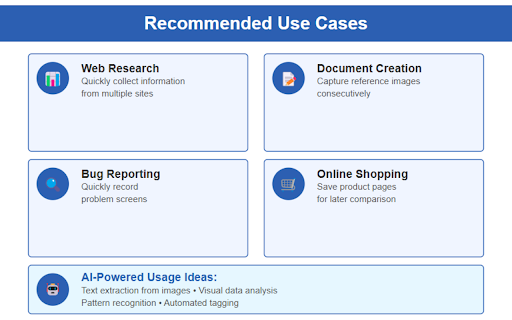
Recommended use cases:


