

ConvertyCat in Chrome with OffiDocs

Ad
DESCRIPTION
A smart file converter that helps you transform files with just a drop!
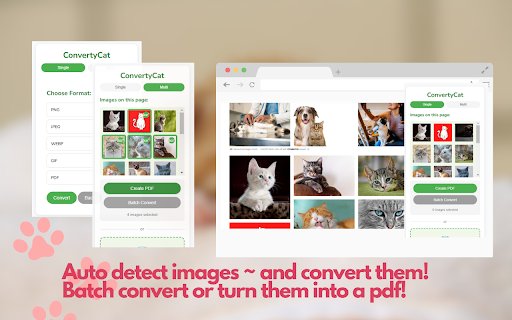
ConvertyCat is your friendly companion for quick and easy image conversions right in your browser. Whether you need to convert images from web pages or your local files, ConvertyCat makes it simple and efficient.
Key Features:
✨ Convert images to multiple formats (PNG, JPEG, WebP, GIF)
✨ Create PDFs from single or multiple images
✨ Smart detection of images on web pages
✨ Drag and drop support for local files
✨ Batch conversion capabilities
✨ Clean and intuitive interface
How to Use:
1. Click the ConvertyCat icon to see images on the current page
2. Choose Single mode for individual conversions or Multi mode for batch operations
3. Select your desired format and convert
4. Your converted files will be downloaded automatically
Perfect for:
• Web designers needing quick format conversions
• Students working with images for assignments
• Anyone who needs to create PDFs from images
• Professionals managing digital assets
Privacy & Security:
• All conversions happen locally in your browser
• No data is uploaded to external servers
• No personal information is collected
ConvertyCat is free, fast, and respects your privacy while making image conversion a breeze!
ConvertyCat web extension integrated with the OffiDocs Chromium online


