

Tab Browser Manager in Chrome with OffiDocs

Ad
DESCRIPTION
⬇️Easy to set up ⬇️: 1. Install the extension.
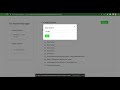
2. Enable the extension by clicking on the icon and the Current Session will open in a new tab.
3. Click on “Save” to save the current session and name the session for later use.
✨Features ✨ 1. Saves opened tabs as collections that can be easily restored later.
2. Can recover the opened tabs after a crash.
3. Manages all opened tabs from a separate tab.
4. Stores the collections for later use.
Use this extension for freeing up memory and avoiding clutter.
Additional Information:
- Offered by A & C
- Average rating : 5 stars (loved it)
- Developer This email address is being protected from spambots. You need JavaScript enabled to view it.
Tab Browser Manager web extension integrated with the OffiDocs Chromium online


