

Timey Countdown timer in Chrome with OffiDocs

Ad
DESCRIPTION
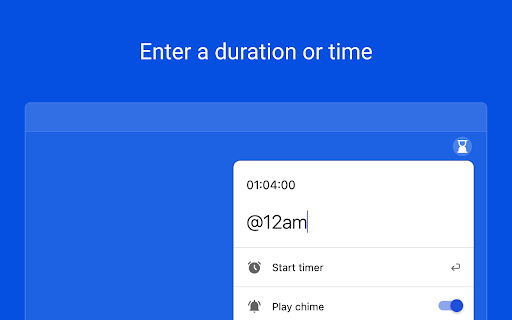
A simple timer that requires no fiddling with controls, enter your desired duration and go!
Timey is a simple and easy-to-use countdown timer extension. No need to fiddle with controls – with Timey, all you need to do is type in the desired time or duration and press enter. Once the timer reaches zero, Timey will emit a chime to let know your timer is complete.
Usage:
1. Install the extension.
2. Click on the extension icon located in your browser toolbar or use the Command/Ctrl+Shift+Y shortcut to open the extension popup.
3. To set a timer, type a time or duration into the input and press "Start timer" or hit the Enter key.
4. Once your timer is complete, Timey will emit a chime or send an optional notification.
Timey Countdown timer web extension integrated with the OffiDocs Chromium online


