

Site Search Appender in Chrome with OffiDocs

Ad
DESCRIPTION
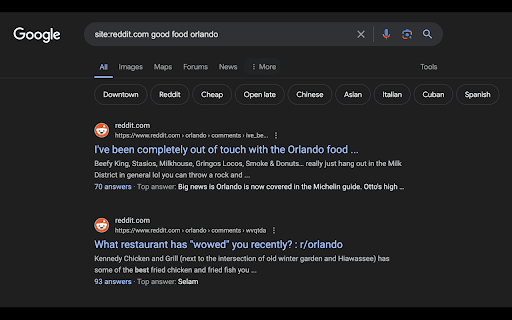
Appends site:[domain name] to Google search queries.
Description:
Enhance your Google search experience with Site Search Appender! This Chrome extension allows you to effortlessly append site:[domain name] to your Google search queries, making it easier to search within specific websites.
Features:
Quick Domain Search: Press / to open a dropdown of domain options and quickly append them to your search.
Custom Domains: Add your own custom domains to the dropdown for personalized searches.
Manage Domains: Easily remove domains from the dropdown as needed.
How to Use:
1. Navigate to Google search.
2. Press / to open the domain options dropdown.
3. Select a domain or add a custom domain to append to your search query.
Why Use Site Search Appender?
Focused Searches: Quickly narrow down your search results to specific websites.
Time-Saving: No need to manually type site:[domain name] for every search.
Customizable: Tailor the dropdown to include your favorite or most-used domains.
Get Started:
1. Install the extension from the Chrome Web Store.
2. Open Google search and press / to start using the domain options dropdown.
Site Search Appender web extension integrated with the OffiDocs Chromium online


