

Link Switch in Chrome with OffiDocs

Ad
DESCRIPTION
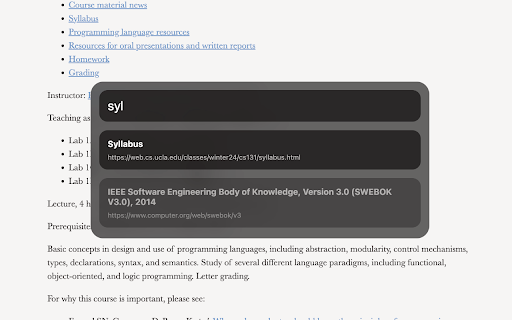
Switch between links on a page with ease.
Press CMD + K to open a modal that lets you switch between all the links on a page!
Instructions
- search for links, buttons, clickable divs, and text inputs with CMD + K and type link text
- press enter to press the links, buttons, divs, and focus inputs
- pick between links with arrow keys and tab
Features
- recently visited links are highlighted first!
- press CMD + Enter to open links in a new tab!
Link Switch web extension integrated with the OffiDocs Chromium online


