

TextDiff in Chrome with OffiDocs

Ad
DESCRIPTION
Compare and highlight differences between two texts / 对比两个文本之间的差异并高亮显示
Compare and highlight differences between two texts
对比两个文本之间的差异并高亮显示
## Features
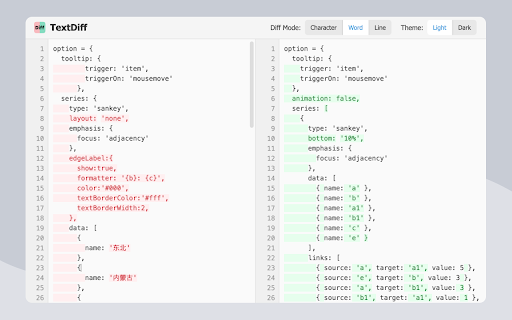
- It supports character - level, word - level, and line - level difference comparisons.
- Real - time comparison is available, with differences directly highlighted in the input area.
- There is a code editor area with line numbers, which is suitable for code comparison.
- The text has an auto - wrap function, making it convenient to view long texts.
- It fully supports Tab characters, ideal for comparing indented code.
- Light and dark themes can be switched.
- It automatically saves the last compared texts and settings.
- It offers a stand - alone page mode, providing a larger working area.
## Technical Implementation
- The difference comparison algorithm is based on the Longest Common Subsequence (LCS) algorithm.
## 功能特性
- 可进行字符级、单词级和行级的差异比较
- 能实时对比,直接在输入区域高亮显示不同之处
- 设有带行号的代码编辑区,便于代码对比
- 文本具备自动换行功能,查看长文本更便利
- 完全支持 Tab 字符,适合对比有缩进的代码
- 提供亮色与暗色主题切换
- 会自动保存上一次对比的文本和设置
- 拥有独立页面模式,提供更大的工作空间
## 技术实现
- 差异对比算法采用的是最长公共子序列(LCS)算法
TextDiff web extension integrated with the OffiDocs Chromium online


