

Hotkeys for Search in Chrome with OffiDocs

Ad
DESCRIPTION
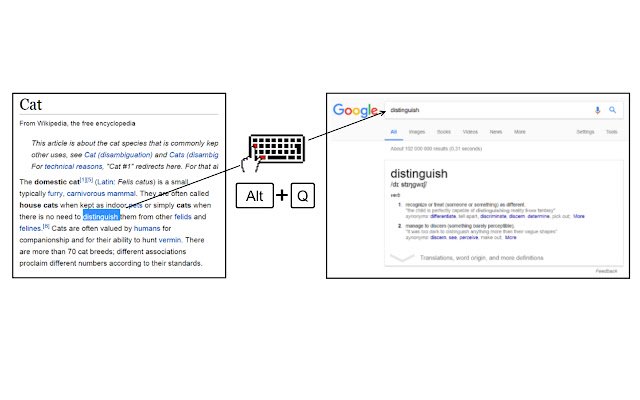
1. Select text on a web page using the mouse.
2. Press a keyboard shortcut to search for the selected text on your desired website.
Default shortcuts: Alt+Q = Google Alt+W = Wikipedia Alt+A = Google Images Alt+S = YouTube The target search websites and keyboard shortcuts can be changed from the extension settings menu.
Source code: https://github.
com/Juuso-h/hotkeys-for-search
Additional Information:
- Offered by Juuso H
- Average rating : 4.53 stars (loved it)
- Developer This email address is being protected from spambots. You need JavaScript enabled to view it.
Hotkeys for Search web extension integrated with the OffiDocs Chromium online


