

Mocha Telnet in Chrome with OffiDocs

Ad
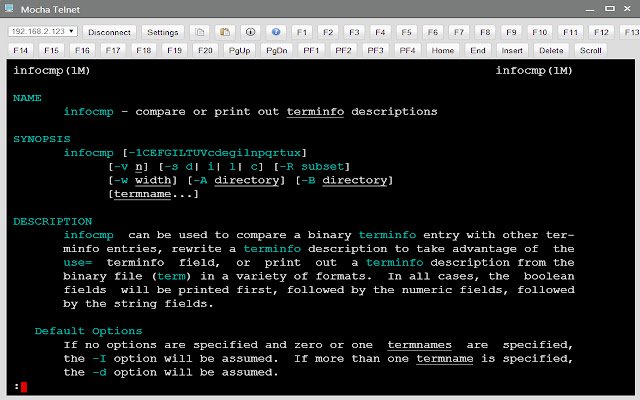
DESCRIPTION
*** IMPORTANT *** We recommend using Mocha Telnet for Chromebook, as Google will soon stop supporting Chrome Apps.
https://mochasoft.
dk/chromebook_telnet.
htm Mocha Telnet/SSH makes it possible to connect to a host with the Telnet or SSH2 protocol and emulate a VT220 terminal.
The trial is valid for 30 days.
The product is fully functional.
When you order, we will send a software license code, which will remove the 30 days limit.
Mocha Telnet Features: - Operating Systems: Chrome OS 30.x or better.
- Supports VT100/VT220 emulation - SSH2 with user/password validation.
Certificates are not supported - Scroll back buffer - User defined functions keys - Screen mode 24*80 or 24*132 - Smart font handling.
The font size follows the Window size - Functions keys F1-F20 are part of the Toolbar - Autologin - Clipboard - Colors can be customized - Free upgrades to new versions of the product This is a free 30 days trial.
A license is 19.85 USD, or 199 USD for a company license.
Changes: Version 1.1 - possible to configure PF1-PF4 and changes default value to 7 bit for these 4 keys.
Version 1.2: - TAB + ENTER key could activate the toolbar elements, such as the pop up settings screen.
Version 1.3: - TAB + SPACE key could activate the toolbar elements, such as the pop up settings screen.
Version 1.4: - added protocol SSH2. - Possible to start in 24x132 mode.
Additional Information:
- Offered by www.mochasoft.dk
- Average rating : 2.05 stars (disliked it)
- Developer This email address is being protected from spambots. You need JavaScript enabled to view it.
Mocha Telnet web extension integrated with the OffiDocs Chromium online


![Ice Snow Wallpaper New Tab Theme [Install] in Chrome with OffiDocs](/imageswebp/60_60_icesnowwallpapernewtabtheme[install].jpg.webp)


