

ViHN: Vim for Hacker News in Chrome with OffiDocs

Ad
DESCRIPTION
Vi-style key bindings for browsing Hacker News
Vi-style key bindings for browsing Hacker News.
It's fast. If you have to wait a perceptible amount of time, that's a bug.
## Features
Use the key bindings similar to Vi to navigate Hacker News stories and comments.
It should work on story listings (front page, /new, /newest, /best, user submissions, etc.), comment threads, and comment listings (user comments, etc.).
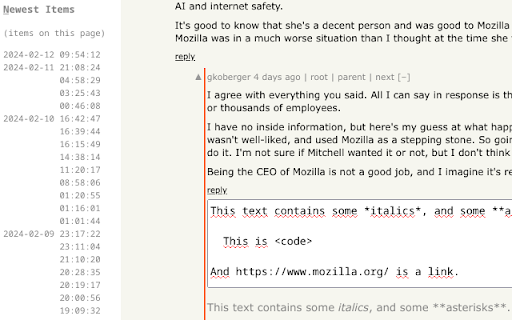
Also, you can quickly find new comments by hitting “n� to browse comments in inverse chronological order.
In addition, the quick-reply and quick-edit forms let you see a preview of the comment you are writing.
Finally, the original poster (OP) is highlighted in comments.
## Key bindings
Press ? to toggle help.
Note: Like in Vim mapping, case is important. So j means hitting the j key with Caps Lock disabled, and without holding Shift. But J means hitting j key with either Caps Lock enabled, or while holding Shift.
### Navigate Comments/Stories
- j: Next comment/story
- k: Previous comment/story
- J: Next sibling comment
- K: Previous sibling comment
- g: Go to first story/comment
- G: Go to last story, last root comment or “More� link
- H: Focus on story/comment at the top of the screen (high)
- M: Focus on story/comment in the middle of the screen
- L: Focus on story/comment at the bottom of the screen (low)
- n: Switch to Newest Items
- h: Parent comment/story (see Follow Links)
- p: Parent comment/story (see Follow Links)
Note:
You can also select an item by clicking in its bounding box.
### Follow links
- o: Open story link/comment
- O: Open story link/comment in background
- c: Open comment thread
- C: Open comment thread in background
- b: Open both story link and comment thread
- B: Open both story link and comment thread in background
- h: Follow “context� link (go to comment thread, but focus on current comment)
- p: Follow “parent� link (go to parent's page, and focus on parent comment/story)
- 1: Open 1st link in comment (maintain shift to open in background)
- …: …
- 9: Open 9th link in comment (maintain shift to open in background)
- 0: Open 10th link in comment (maintain shift to open in background)
Note:
When on the “XXX more comments� link, you can hit either of `[lLcC]` to go to the next page of comments.
Note:
The digits of the numeric keypad work as well to open links in comments.
However, this can only open links in foreground.
Note:
When using AZERTY, the key bindings to open links inside comments still work like in QWERTY.
Hit the 1 key without shift (like typing `&`) to open the 1st link in foreground.
Hit the 1 key with shift (like typing `1`) to open the 1st link in background.
Same for the other link numbers.
### Actions
- m: Collapse/uncollapse comment tree
- u: Upvote story/comment, or cancel vote
- d: Downvote story/comment, or cancel vote
- f: Favorite/un-favorite story/comment of the current page
- F: Flag/unflag story/comment of the current page
- r: Comment on story, or reply to comment (with preview)
- e: Edit comment (with preview)
- D: Delete comment
- Ctrl+Return: Submit current form
### Navigate Newest Items
In the Newest Items list, the following key bindings are available:
- l: Show selected comment/story
- j: Next comment/story
- k: Previous comment/story
- J: Jump 10 down
- K: Jump 10 up
- g: Go to top story/comment
- G: Go to last story/comment
- n: Switch back from Newest Items
ViHN: Vim for Hacker News web extension integrated with the OffiDocs Chromium online


