

Volumr in Chrome with OffiDocs

Ad
DESCRIPTION
Volume adjuster for audio posts on Tumblr.
No more sudden volume surprises while scrolling.
Only works on tumblr.com!
Key Features:
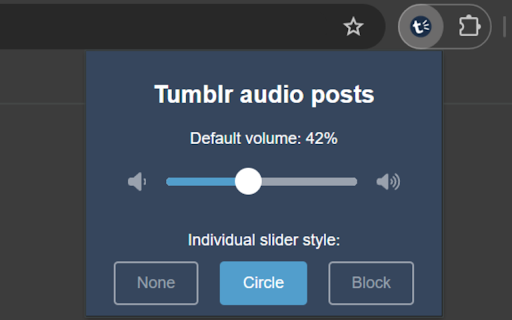
- Default Volume Setting: Set a preferred volume level for all audio posts.
- Individual Volume Control: Adjust the volume of each audio post separately.
- Customizable Slider Styles: Choose from Block, Circle, or Hidden slider designs.
- Cross-Device Sync: Your settings carry over between your devices.
- Seamless Integration: Blends naturally with Tumblr's interface.
How It Works:
- Install the Volumr extension.
- Browse Tumblr as usual.
- Notice the new volume slider on audio posts.
- Adjust volume levels to your liking.
- Click the "Volumr" icon in your extensions to adjust settings.
Volumr respects your privacy and only operates on Tumblr pages. It doesn't collect or store any personal data.
Volumr web extension integrated with the OffiDocs Chromium online


