

Wayfairâ„¢ Downloader | Download images videos in Chrome with OffiDocs

Ad
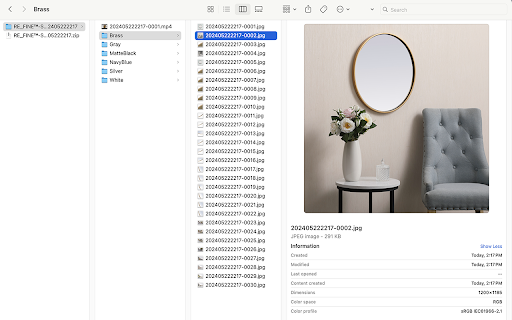
DESCRIPTION
One-click download of images and videos from Wayfair, supporting both individual file and full file packaging download.
One-click download of images and videos from Wayfairâ„¢, supporting both individual file and full file packaging download.
# Features
- Customizable image quality settings are supported.
- Supports multiple image sizes
- Image types supported include jpg, jpeg, png, webp, and gif.
- Download images and videos from Wayfairâ„¢ products.
- One-click download for all images and videos, conveniently saved in a zip file.
# How to use?
- Open any Wayfair.com product page.
- Click on the Chrome extension app.
- The first option is to click on the download icon of the image or video to download the respective file.
- The second option is to click "Download All" to download all image and video files. Allow the process to finish, and the images and videos will be automatically downloaded in a ZIP file.
# **Is it Free?**
Indeed, Wayfairâ„¢ Downloade is available for free. You can access the basic features and choose to upgrade for more functionalities.
# **Data Privacy**
All data processing occurs locally on your computer, and it never traverses our servers.
# **Disclaimer**
Wayfairâ„¢ is a trademark owned by Wayfairâ„¢ Inc. Wayfairâ„¢ Downloader has no affiliation, endorsement, sponsorship, or direct relation to Wayfairâ„¢ Inc., its affiliates, or subsidiaries.
Wayfairâ„¢ Downloader | Download images videos web extension integrated with the OffiDocs Chromium online


