

Communication Battery Glow effect – Free icon download
Download all to grab every PNG variant.
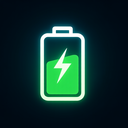
At the heart of modern digital life lies a powerful synergy between connectivity, energy efficiency, and visual clarity—elements that are vividly represented in an innovative icon design that seamlessly integrates three core concepts: Communication, Battery, and a dynamic Glow effect. This comprehensive icon is not merely a symbol; it is a narrative of interdependence, where each element enhances the significance and functionality of the others. The visual representation transcends traditional design boundaries by merging technological realism with expressive aesthetic appeal, creating an engaging user experience that resonates both functionally and emotionally.
The central motif of this icon is a stylized communication signal wave—familiar to users from mobile networks, Wi-Fi indicators, or satellite transmissions—positioned in a balanced composition. This wave is not static; instead, it pulses gently with subtle motion, suggesting continuous data flow and real-time interaction. The waveform itself serves as the primary vehicle for the Communication aspect. Each crest and trough of the wave symbolizes incoming and outgoing data packets, while their dynamic curvature evokes a sense of fluidity, responsiveness, and active engagement between devices or users. This visual choice communicates that communication is not just a background feature but an essential, living component of the system.
Embedded within the waveform is an integrated Battery component—an elegant yet minimalistic circular element with a radial charge pattern. Rather than depicting a traditional battery bar, this design uses concentric circles and subtle gradient layers to represent energy levels. The center of the battery symbol is where the communication wave meets its core, forming a harmonious convergence point. This integration implies that communication functions are directly powered by energy—highlighting how network activity consumes power and how sustained connectivity depends on efficient energy management. The battery’s charge level is not fixed; it dynamically shifts in response to the intensity of communication activity. When data traffic increases (e.g., video calls, file transfers), the battery’s glow intensifies slightly, visually signaling increased usage.
What truly sets this icon apart is its incorporation of a sophisticated Glow effect. The glow is not a superficial afterthought—it is an integral part of the design language that conveys both status and energy. The communication wave emits a soft, ethereal light, with the color spectrum shifting subtly across phases: from cool blue tones during low-traffic periods to vibrant cyan and magenta during peak activity. This color progression aligns with established visual conventions in user interface design—blue for stability and trust, warmer hues indicating active engagement or high performance. The glow is not uniform; it spreads outward in a gentle halo, creating depth and dimensionality. Most importantly, the glow intensifies when the battery level is above 50%, suggesting that strong communication signals are possible only when sufficient energy is available.
Furthermore, the glow effect serves as an intuitive visual feedback mechanism for users. It provides immediate cues about system health without requiring text labels or additional interface elements. For instance, a dim glow with faint blue light indicates weak signal strength and low battery—possibly suggesting that the user should conserve power or reconnect to a stronger network. Conversely, a bright, pulsing cyan glow signifies optimal connection conditions and sufficient energy reserves—offering reassurance and confidence in performance. This dynamic interplay between communication activity, battery health, and visual feedback demonstrates how design can bridge functionality with emotional resonance.
From a technical standpoint, the icon is optimized for scalability across various digital platforms—from mobile app dashboards to smart home control centers. The use of vector-based paths ensures crisp rendering at any size. The glow effect is implemented using layered transparency and lighting algorithms that work seamlessly in both light and dark mode interfaces. In dark backgrounds, the glow becomes more pronounced, enhancing visibility without causing visual strain; in light themes, it remains subtle yet noticeable.
Psychologically, this icon taps into human expectations of reliability and responsiveness. We instinctively associate communication with clarity and speed—qualities that are mirrored in the wave’s fluid form. The battery component addresses a common user concern: fear of device failure due to power loss. By visually linking energy status directly to network performance, the icon reduces anxiety and promotes proactive behavior—such as turning off unused services or charging devices before travel.
Moreover, this design has broad applicability beyond individual gadgets. It can be adapted for smart cities, IoT networks, telehealth systems, or remote work environments where real-time communication is vital. In each context, the icon conveys a unified message: reliable connectivity is only possible with adequate power management and constant system monitoring.
In conclusion, the icon that embodies Communication, Battery, and a dynamic Glow effect transcends its role as a simple graphical element. It becomes a holistic representation of modern technological ecosystems—where data flow is powered by energy, and performance is visually communicated through elegant, intuitive design. By merging functionality with emotional intelligence, this icon not only informs users but also builds trust in digital environments where connectivity and sustainability are paramount.
This icon is a visionary blend of technology and human-centered design—where every stroke of the waveform, every pulse of the battery, and every shift in glow conveys meaning. It represents the future of visual communication: intelligent, responsive, and deeply expressive.Create your own icon with our GoGPT AI prompt:
GoGPT