

Construction Database Flat pastel Free icon download
Download all to grab every PNG variant.
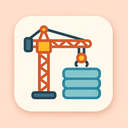
The icon described here is a meticulously crafted digital symbol that masterfully unites three distinct yet interconnected themes—Construction, Database, and Flat Pastel. This harmonious blend results in a visually soothing and conceptually rich design suitable for modern user interfaces, software applications, or branding assets within technology-driven industries such as web development, data management, architectural planning tools, or cloud-based project coordination platforms.
The core element of this icon draws from the theme of construction, representing not just physical building but also the conceptual scaffolding behind digital projects. At its center lies a stylized, minimalist blueprint or architectural plan—symbolizing the initial stages of creation. The blueprint is rendered with clean, geometric lines forming a grid-like pattern reminiscent of floor plans or construction schematics. These lines are subtle yet clearly defined, conveying precision and order—a hallmark of professional construction work.
Overlaid on this base is a small, abstracted building framework composed of simple rectangular and triangular shapes in varying shades of pastel. This structure appears to be under active development: one side features exposed beams or scaffolding (rendered as delicate horizontal lines), suggesting ongoing progress. The inclusion of these elements evokes the dynamic, evolving nature of construction—where raw materials transform into functional spaces over time.
The icon subtly incorporates a tool element—an open digital level or a faintly outlined ruler—to reinforce the connection with construction methodology. However, this is not a literal representation; instead, it’s abstracted into the design language of flat icons, ensuring clarity without clutter. The overall impression is one of forward momentum and methodical craftsmanship.
Beneath the visible construction elements lies a hidden layer of digital intelligence—the database. This aspect is not immediately apparent but becomes evident upon closer inspection, adding depth to the icon’s meaning. Embedded within the grid pattern of the blueprint are tiny, circular nodes—each resembling a database record or data point.
These nodes are arranged in a structured yet organic fashion across the blueprint, forming clusters that mimic real-world relational database schemas. The connections between these points are represented by faint pastel-colored lines—similar to network links or foreign key relationships—that weave through the structure like invisible wires carrying information. This visual metaphor underscores how data underpins every phase of construction in modern environments: from project management databases and material inventories to architectural BIM (Building Information Modeling) systems.
One particularly clever detail is a small, iconized "server" or "cloud" symbol integrated into the base of the building framework. Rendered as a tiny cube with wireless signal waves emanating from it, this element visually ties construction work to digital infrastructure and data storage—emphasizing that today’s buildings are often designed and managed through powerful database-backed software.
Additionally, a soft pulsing glow effect around select nodes suggests active data flow or real-time updates, reinforcing the dynamic nature of modern databases. This subtle animation potential (if used in a digital interface) enhances the sense of liveliness and responsiveness—critical for tools that manage complex construction projects with live data synchronization.
The entire icon adheres to a flat pastel design language, which is central to its identity. This aesthetic choice prioritizes simplicity, clarity, and visual calm—essential qualities for icons used in dashboards or productivity apps where user focus and interface harmony are paramount.
The color palette consists of soft hues: baby blue, mint green, blush pink, lavender gray, and pale peach. These colors are used with careful balance—no single hue dominates. Instead, they blend seamlessly to create a gentle visual experience that feels both modern and approachable. The pastel tones are carefully desaturated to avoid visual fatigue while still maintaining sufficient contrast for recognition.
Shading is minimal—essentially absent. There are no gradients, shadows, or textures; only flat fills with consistent opacity. This adherence to flat design ensures compatibility across various screen types and resolutions, from mobile devices to large desktop monitors.
Despite the lack of depth cues, the icon remains highly legible thanks to strong shape contrast and clean line work. The pastel palette does not compromise clarity; rather, it enhances it by reducing visual noise. The overall impression is one of serenity and professionalism—a digital icon that feels both creative and reliable.
In essence, this icon serves as a powerful metaphor for the modern digital age: where construction is no longer just about bricks and mortar but also about building intelligent systems; where database logic drives decision-making and efficiency; and where visual design—through the gentle embrace of flat pastel tones—enhances usability without sacrificing meaning.
This icon stands not only as a graphical element but as a narrative device: it tells the story of progress, structure, intelligence, and calm. It is perfect for platforms that help architects visualize projects, developers manage backend systems for construction tech apps, or project managers track real-time data in dynamic environments. With its thoughtful integration of all three keywords—Construction, Database, and Flat Pastel—it exemplifies how design can be both beautiful and functionally rich.
Create your own icon with our GoGPT AI prompt:
GoGPT