

Hardware Battery Rounded Free icon download
Download all to grab every PNG variant.
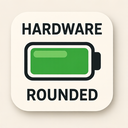
The icon in question is a meticulously designed digital representation that synthesizes the core concepts of Hardware, Battery, and Rounded into a single, cohesive visual symbol. This icon stands as an elegant fusion of industrial design principles, functional electronics symbolism, and modern aesthetic sensibilities. It is not merely a pictorial representation but a thoughtfully engineered emblem that communicates technological reliability, power storage capacity, and user-friendly interface design.
At its foundation lies the concept of Hardware. The icon embodies the tangible nature of physical technology—devices that are built, assembled, and interacted with in the real world. Unlike abstract digital symbols, this icon maintains a strong connection to real-world electronics. The design features subtle surface textures that mimic metallic finishes or polymer casings commonly found in modern electronic devices such as smartphones, tablets, wearables, and IoT sensors. These textures are not overly detailed but are strategically applied to suggest depth and material authenticity without detracting from the minimalist nature of the icon.
The form of the icon is shaped like a battery—specifically a standard cylindrical or rectangular cell—but it is constructed with clear hardware attributes: visible seams, edge joints, and recessed connectors. These elements imply that this battery is not just a conceptual abstraction but an actual physical component that can be inserted into or removed from devices. The presence of screw-like indentations near the ends (particularly at the positive terminal) further reinforces its hardware identity, suggesting mechanical construction and durability.
The Battery aspect is central to the icon’s purpose. It visually represents energy storage and power delivery—essentials in any electronic system. The icon uses a standard battery silhouette: a slightly elongated rectangle with rounded corners, which immediately signals its function to users across cultures and languages.
The design includes internal visual cues that suggest charge levels, though not through literal progress bars. Instead, the icon employs gradient shading: from dark gray at the base (indicating low or depleted charge) to a vibrant metallic blue or silver tone near the top (representing full capacity). This subtle color gradient mimics how real batteries discharge over time and enhances visual clarity even in small sizes. A thin, white line across the top end of the battery symbolizes an electrical contact point—commonly seen on AA or AAA cells—adding authenticity to its hardware appearance.
Importantly, this icon does not depict a fully charged state by default; rather, it suggests variable capacity through dynamic shading and subtle light reflection effects. These enhancements make the icon particularly effective in user interfaces where battery status is frequently monitored, such as mobile operating systems or device management software.
The Rounded aspect of this icon is not merely a stylistic choice—it's a deliberate design decision rooted in contemporary user interface (UI) trends. Rounded shapes are universally associated with softness, approachability, and modernity in digital environments. This particular icon embraces rounded corners throughout its form: the edges of the battery casing are smoothly curved, eliminating sharp angles that could feel harsh or mechanical.
Even internal details—such as the shape of the terminal contacts and any textural grooves—are softened with gentle curves. The overall silhouette is balanced and harmonious, avoiding visual clutter. This roundness contributes to a sense of safety and user-friendliness, essential for icons used in consumer-facing applications where intuitive recognition is key.
Moreover, the rounded design enhances scalability. Whether displayed at 16x16 pixels on a notification bar or 256x256 pixels on a dashboard screen, the icon maintains clarity and legibility. The absence of sharp lines ensures that it does not suffer from pixelation or jagged edges when rendered at smaller sizes—an advantage in responsive design systems.
What truly elevates this icon is the seamless integration of Hardware, Battery, and Rounded. The hardware features lend credibility and realism, grounding the symbol in physical technology. The battery function is immediately recognizable through both shape and visual cues like charge indicators. And the rounded aesthetic ensures that it fits seamlessly within modern, clean UIs without appearing out of place or too industrial.
Together, these elements create a visual metaphor for reliability: a physically robust component (hardware), designed to store and deliver energy (battery), presented in an accessible and visually pleasing manner (rounded). It is this balance that makes the icon effective not just as a symbol but as an emotional cue—evoking trust, functionality, and technological sophistication.
In conclusion, this rounded hardware battery icon transcends its basic function. It stands as a masterclass in symbolic design: where form follows function, aesthetics serve usability, and technical meaning is conveyed through thoughtful visual language. Whether used in operating systems, device management apps, or power-saving dashboards, this icon successfully communicates the essence of modern portable technology—one that is durable, energy-efficient, and designed for human interaction.
Create your own icon with our GoGPT AI prompt:
GoGPT