

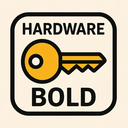
Hardware Key Bold Free icon download
Download all to grab every PNG variant.
```html
The Bold Hardware Key icon is a masterclass in modern design, seamlessly fusing the tangible essence of physical technology with the digital sophistication that defines contemporary user interfaces. At first glance, this icon commands attention through its strikingly bold visual language—every line, angle, and curve rendered with intentional weight and precision. The boldness of its form is not merely an aesthetic choice; it serves as a deliberate signal of importance, authority, and functionality. This icon is not meant to blend into the background; it exists to stand out—both metaphorically and literally—on any interface where hardware-related actions or configurations are critical.
At its core, the hardware component of this icon is meticulously detailed to evoke a sense of mechanical integrity and engineering excellence. The central motif is a stylized, three-dimensional key—imagine the cross-section of a physical lock mechanism reinterpreted through digital design. However, unlike conventional keys that suggest mere access or entry, this one carries the unmistakable weight and structure of industrial-grade hardware. It features deep grooves along its shaft that mimic real-world keyways used in mechanical locks and security systems. These grooves are not decorative; they symbolize the precise alignment required for hardware components to function correctly—each notch representing a specific pin in a lock, or each groove echoing the internal architecture of a circuit board slot.
The key’s handle is shaped like a robust, hexagonal wrench head—a clever fusion of tools commonly used in physical maintenance and installation. This hybrid form underscores the icon's deeper meaning: it is not merely about unlocking digital systems but about physically interfacing with them. Whether it's installing RAM, connecting peripheral devices, or securing a server rack, this icon represents the tangible interaction between human and machine that defines the hardware experience. The handle is further enhanced with subtle bevels and shadows to create a sense of depth and realism—so much so that it appears almost ready to be gripped by an actual hand.
The bold nature of the icon extends beyond its visual thickness; it permeates the entire design philosophy. The lines are thick yet clean, with no unnecessary ornamentation. No soft gradients or faint outlines distract from its presence. Instead, solid fills in a bold metallic gray or steel-blue dominate the form, evoking industrial materials such as brushed aluminum and tempered steel. This boldness is further emphasized through a subtle border effect that gives the icon a 'pop' off the screen—creating an illusion of depth and weight that suggests it is not just data but physical object rendered in digital space.
In terms of color, the icon employs a high-contrast palette to reinforce its bold character. A deep navy or charcoal background serves as a foundation, making the key element stand out with dramatic clarity. The key itself features a metallic gradient from light silver at the top to darker steel at the base, simulating how real metal reflects light and casts shadows. This lighting effect enhances realism while maintaining visual cohesion across different screen types and resolutions. Even in dark mode interfaces, where many icons can fade into obscurity, this icon remains visually dominant due to its bold silhouette and deliberate contrast.
Functionally, the key is more than a symbol—it's a metaphor. It represents access not just to software or data but to the underlying hardware infrastructure that makes digital systems possible. In enterprise environments, this icon might be used for settings related to device management, firmware updates, BIOS configuration, or peripheral diagnostics. In consumer technology interfaces—such as smart home dashboards or mobile operating system menus—it could signal settings for hardware integration (e.g., Bluetooth pairing with physical devices) or troubleshooting hardware malfunctions.
What elevates this icon from a mere graphic to a powerful design statement is its ability to communicate complex ideas through simple, universally understood symbols. The combination of hardware authenticity, the metaphorical power of the key, and the commanding presence of bold lines and form creates a multi-layered visual narrative. It speaks to engineers, technicians, and end-users alike—each interpreting it through their own lens. For a developer, it may signify access to system-level controls. For a designer, it is an example of minimalism with maximum impact. For the average user, it’s instantly recognizable as something important—something physical and powerful.
In conclusion, the Bold Hardware Key icon transcends its role as a simple interface element. It is a symbol of connectivity between digital and physical worlds, a testament to precision engineering, and an embodiment of strength in design. Its boldness ensures it is never overlooked; its hardware roots ground it in reality; and its key motif gives it purpose. Together, these three core elements—Hardware, Key, and Bold—are not just keywords but fundamental pillars of a design that speaks directly to the soul of modern technology: functional, powerful, and unapologetically real.
```Create your own icon with our GoGPT AI prompt:
GoGPT