

Hardware Key Flat design Free icon download
Download all to grab every PNG variant.
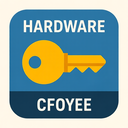
The hardware key icon, rendered in a clean and modern flat design style, is a meticulously crafted symbol that merges technical precision with minimalist aesthetics. This icon serves as an intuitive visual representation of physical access control mechanisms used in digital and physical environments alike. At its core, the "hardware" aspect is emphasized through the stylized depiction of mechanical components—specifically, a traditional metal key—while the "key" element is central to its identity and functionality. The flat design approach ensures that every detail is communicated with clarity and purpose, avoiding any unnecessary visual clutter such as gradients, shadows, or textures that could distract from its primary function: immediate recognition and usability.
Visually, the icon begins with a simplified outline of a classic skeleton key—a long rectangular shaft tapering into a narrow blade at one end. The blade is not fully uniform; instead, it features subtle notches along the top edge that mimic the serrated pattern found on actual physical keys used in padlocks or old mechanical locks. These notches are carefully proportioned to represent real-world hardware without being overly detailed, adhering strictly to flat design principles that prioritize simplicity over realism. Each notch is a geometric shape—a trapezoid or right triangle—repeated at regular intervals with consistent spacing, creating rhythm and symmetry that enhance the icon’s visual appeal and readability.
The key shaft is designed with a slightly wider base near the bow (the part you hold), which tapers smoothly toward the blade. This tapering is rendered using straight lines rather than curves, reinforcing the flat design aesthetic. The bow itself is not stylized with intricate patterns or engravings; instead, it appears as a clean, rounded rectangle with a slight vertical extension at the top to suggest where fingers would grip. The absence of texture or depth—no faux-metallic shine, no raised edges—ensures that the icon remains consistent with flat design norms: two-dimensional and vector-based.
Color plays a crucial role in this icon’s effectiveness. Typically rendered in a solid, muted tone such as gunmetal gray or deep steel blue, the key is designed to convey reliability and technical sophistication. The flat color ensures that it can be easily scaled across different screen sizes without loss of clarity. In some variations, an accent color may be used—such as a bright orange or electric green—to draw attention to specific areas like the bow or the top edge of the blade, signaling interactivity (e.g., in software interfaces where this key might represent an unlock function). However, these accents are applied sparingly and only when necessary to maintain the integrity of the flat design language.
What sets this hardware key icon apart from others is its emphasis on realism through abstraction. While it avoids photorealistic textures or shadows, every shape and line serves a functional purpose. The sharp edges of the blade suggest precision engineering, while the clean lines imply durability and strength—qualities associated with actual hardware components. This balance between representation and minimalism makes the icon universally understandable across cultures and language barriers, a key principle of successful flat design.
In digital applications such as user interfaces for security software, IoT devices, or access management systems, this icon is highly effective. It immediately communicates concepts like "unlock," "access," or "physical authentication." When paired with other flat-design elements—such as icons for locks, servers, or circuits—it creates a cohesive visual language that feels modern and tech-forward. The icon's scalability ensures it performs well on everything from mobile app screens to large desktop dashboards.
Furthermore, the hardware aspect is reinforced through implied context: the key is not just any object; it symbolizes tangible technology used in physical security systems. This makes it ideal for applications related to smart locks, keycard readers, biometric access points, and industrial control panels. In such contexts, the flat design does not diminish its authenticity—it enhances it by focusing attention on form and function over ornamentation.
From a design standpoint, the icon exemplifies best practices in flat design: simplicity of form, limited color palette (often two or three colors), absence of 3D effects, and high visual contrast. These elements make it accessible to users with visual impairments when paired with proper labeling. Additionally, its vector-based construction ensures crisp rendering on any device resolution.
In conclusion, this hardware key icon in flat design style is a masterclass in minimalist communication. It successfully merges the tangible qualities of physical hardware—a real-world object used for access—with the digital efficiency of flat design. The result is an icon that is not only visually appealing but also highly functional, instantly recognizable, and perfectly suited to modern UI/UX environments where clarity and speed are paramount.
Create your own icon with our GoGPT AI prompt:
GoGPT