

Hardware Laptop Flat design Free icon download
Download all to grab every PNG variant.
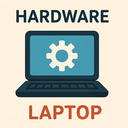
The icon presented is a meticulously crafted representation of modern technology through the lens of flat design principles, seamlessly blending the essential elements of hardware and laptop computing into a visually cohesive and minimalist symbol. At its core, this icon embodies the convergence of digital functionality and physical engineering—two fundamental aspects that define today’s computing landscape. The design prioritizes clarity, simplicity, and scalability while maintaining a strong connection to tangible hardware components. Every visual element is carefully calibrated to reflect both the form and function of a contemporary laptop computer within the strict boundaries of flat design aesthetics.
From its outset, the icon adheres strictly to flat design philosophy: it features no gradients, shadows, or 3D effects. Instead, it relies solely on clean lines, geometric shapes, and solid colors to communicate its meaning. The absence of depth enhances its digital compatibility—ideal for use across web interfaces, mobile apps, software dashboards and system menus where consistency and performance are critical. The color palette is intentionally restrained: primarily neutral tones such as soft gray, cool blue, or charcoal black dominate the background of the laptop body, with subtle accents in white or light silver to highlight key structural features. This monochromatic elegance reinforces a sense of modernity and professionalism, positioning the icon as suitable for both consumer and enterprise environments.
The laptop itself is rendered in an abstract but recognizable form. The screen section occupies approximately two-thirds of the overall silhouette, featuring a crisp rectangular shape with slightly rounded corners to suggest contemporary device design trends. Within this screen area lies a simplified representation of a display: instead of intricate graphics or pixel patterns, it contains a single, centered symbol—a stylized computer icon or abstract circuit pattern—rendered in a lighter shade to simulate the glow of an active screen. This minimal detail emphasizes functionality over realism while ensuring immediate recognition.
At the bottom third lies the keyboard portion. Here, flat design principles are applied with precision: individual keys are represented by uniform rectangles arranged in a grid, each slightly indented or outlined to suggest tactile feedback without adding depth. The key layout follows a standard QWERTY configuration but is abstracted for clarity—only the central row of keys (e.g., 'A', 'S', 'D', 'F') and a few key function indicators (such as the spacebar) are shown in full detail. The remaining keys are implied through spacing and alignment, reinforcing the icon’s minimalist nature while preserving legibility.
Crucially, the icon integrates hardware-specific features that reinforce its identity beyond mere digital abstraction. The hinge connecting the screen and keyboard is depicted as a single, thin horizontal line with a subtle circular dot at its midpoint—representing the pivot point where two physical components meet. This attention to mechanical detail underscores the hardware nature of the device while remaining true to flat design's clean aesthetic. Additionally, small rectangular cutouts on either side of the laptop body represent speaker grilles or ports (USB, HDMI), drawn with identical flatness and symmetry. These features are not exaggerated or stylized but rendered with geometric precision to reflect real-world engineering elements.
Another defining characteristic is the icon’s emphasis on modularity—each component is clearly distinct yet unified within a single entity. This reflects the modular nature of modern laptop hardware: detachable batteries (implied by a hidden panel), replaceable RAM modules, and expandable storage options are all suggested through visual cues rather than literal depictions. The overall silhouette maintains proportions consistent with real-world laptops—slimmer than traditional desktops, yet robust in appearance—projecting reliability and technical sophistication.
From a usability standpoint, the icon excels in scalability. Whether displayed at 16x16 pixels on an app icon or scaled to 256x256 for a dashboard interface, the essential elements remain identifiable due to its high contrast and geometric clarity. The flat design ensures crisp rendering across all screen types and resolutions, making it ideal for responsive UIs and cross-platform applications.
Finally, the integration of “Hardware” is not just implied—it’s foundational. Unlike icons that depict software or abstract concepts (like a cloud or folder), this icon grounds itself in physical reality. The careful attention to form factor, component layout, and mechanical joinery demonstrates a commitment to hardware authenticity. At the same time, “Laptop” is unmistakably central—every design choice reinforces its identity as a portable computing device. And through the consistent application of “Flat Design,” all elements are synthesized into a harmonious visual language that is modern, accessible, and instantly interpretable.
In essence, this icon serves as more than just a symbol—it’s an artifact of digital age design philosophy: where hardware meets software, form follows function, and minimalism becomes meaningful. It stands as a powerful representation of the laptop not merely as a tool but as an engineered masterpiece rendered in the language of flat design.
Create your own icon with our GoGPT AI prompt:
GoGPT