

Health Battery Pixel art – Free icon download
Download all to grab every PNG variant.
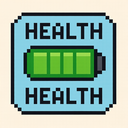
In a world increasingly driven by technology, where digital interfaces shape our daily lives, visual communication plays a vital role in conveying essential information quickly and intuitively. Among these critical pieces of information are health status and battery level—two indicators that users rely on to manage their devices and maintain personal well-being. This icon, masterfully designed as a pixel art piece, synthesizes the fundamental elements of Health and Battery, offering both aesthetic appeal and functional clarity through a retro-inspired visual language.
The icon is crafted using a strict pixel art style—characterized by individual square blocks arranged in grids, reminiscent of early computer graphics from the 1980s and 1990s. Each element is composed of precisely placed pixels, giving it a nostalgic yet timeless charm. The use of pixel art not only aligns with retro aesthetics that many users find engaging and refreshing but also ensures clarity at small screen sizes, making it highly effective on mobile devices, wearable technology, or low-resolution displays where detail may be compromised.
At the core of this icon is a stylized human silhouette rendered in blocky, segmented forms. The figure stands upright with a simple geometric structure: the head is represented by three stacked pixels forming a rounded cap, the torso by two vertical bars, and limbs are implied through horizontal lines. This minimalist representation emphasizes accessibility—users can instantly recognize that this icon refers to a person's health status without needing elaborate visual details.
Within the silhouette, two key indicators are embedded: one representing Health, and the other representing Battery. The Health indicator is shown as a segmented bar located at the center of the chest. This bar consists of five horizontal pixel blocks, each filled with alternating shades—solid green for healthy levels (full health), yellow for moderate decline, and red for critical danger. When all five segments are fully green, it signals optimal health; as segments transition to yellow or red, it visually communicates a deterioration in the user’s well-being. This gradient reflects the dynamic nature of health—something that is not static but responds to daily activities, diet, sleep patterns, and stress.
Adjacent to the Health bar on the right side of the figure is a stylized Battery symbol. It resembles a classic battery icon from early computing interfaces—two parallel bars with a small gap in between—constructed entirely from pixel blocks. The left bar is longer and slightly darker, while the right bar is shorter and lighter in tone, mimicking the natural degradation of charge over time. The battery’s current level ranges from 100% (full) to 0% (dead), with each percentage represented by a corresponding number of filled pixels. At full capacity, all seven bars are solid; at partial levels, gaps appear between them in a clean, readable pattern. This design ensures that users can quickly assess the remaining power of their device without confusion.
The synergy between Health and Battery is visually represented through color harmony and positioning. The health bar uses cool tones—green for health, yellow for caution, red for warning—while the battery uses warm tones such as blue or gray to emphasize its technological nature. This contrast helps distinguish between biological vitality (health) and electronic power (battery), allowing users to interpret both independently yet together within a single frame.
Moreover, this pixel art design incorporates subtle animations or micro-interactions that are feasible within digital interfaces. For instance, when the health level drops below 30%, the green pixels in the health bar gradually shift to yellow and then red, creating a visual warning. Similarly, as battery drains below 20%, a small pulsing effect (simulated through pixel flickering) appears on the battery symbol to alert users. These dynamic elements enhance user experience by providing timely feedback without overwhelming the interface.
The design is not only functional but also emotionally resonant. By merging health and battery into one cohesive icon, it reflects a deeper human concern: balancing physical well-being with technological dependence. In today’s fast-paced lives, people often neglect their health while constantly monitoring device power. This icon serves as a gentle reminder—just as we manage our energy levels (battery), we must also manage our physical vitality (health).
Additionally, the pixel art style adds a layer of emotional connection. Unlike modern flat or vector icons that can feel cold and impersonal, the retro pixel aesthetic evokes a sense of familiarity and warmth. It reminds users of early computing experiences—when technology was simpler, more tangible, and deeply intertwined with personal life. This nostalgic touch makes the icon not just informative but also comforting.
The icon is scalable across various devices—from smartphones to smartwatches to fitness trackers—thanks to its clean structure and pixel-based composition. Even at 16x16 pixels, key features remain legible. It supports accessibility by using high-contrast color palettes and clear segmentation, which benefits users with visual impairments or colorblindness.
In conclusion, this "Health & Battery" pixel art icon is more than just a visual symbol—it is a thoughtful integration of vital user needs. By combining the essential concepts of Health and Battery within a nostalgic, accessible format rooted in pixel art, it delivers clarity, emotional resonance, and practical utility. Whether displayed on a health app dashboard or as part of a device status screen, this icon stands out for its simplicity, functionality, and human-centered design philosophy. It celebrates the intersection between human biology and digital technology—offering users not only data but also awareness.
Ultimately, it demonstrates how even the most basic icons can carry profound meaning when designed with intentionality. In an age where attention spans are short and interfaces become increasingly complex, this pixel art icon serves as a beacon of clarity and care—one pixel at a time.
Create your own icon with our GoGPT AI prompt:
GoGPT