

Health Robot Pixel art – Free icon download
Download all to grab every PNG variant.
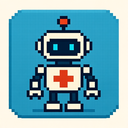
This intricate and vividly designed icon masterfully blends three powerful concepts: Health, Robot, and Pixel Art. The fusion of these elements creates a unique visual narrative that is both futuristic and deeply rooted in digital simplicity—perfect for applications in gaming interfaces, health monitoring systems, smart devices, or even educational tools focused on technology and wellness.
At the heart of this icon is a stylized robot constructed entirely through pixel art techniques. Each component of the robot—its body, arms, head, and limbs—is composed of carefully arranged squares and blocks that evoke a retro video game aesthetic. The pixel art style gives the robot an immediate sense of nostalgia while simultaneously conveying modern technological sophistication. The design uses a harmonious color palette dominated by soft pastels and crisp high-contrast tones such as teal blue, bright yellow, light pink, and pure white, which not only enhance visibility but also contribute to a friendly and non-intimidating appearance.
The robot's form is simplified yet expressive. Its head features a rounded pixelated dome with two large circular eyes—one slightly brighter than the other—suggesting awareness and responsiveness. The eyes are made of solid pixels, giving them a lively, digital look that mimics how characters appear in classic 8-bit games like Super Mario or Donkey Kong. Its body is composed of vertical and horizontal pixel blocks, forming a sturdy rectangular frame with two angular limbs extending from the sides. These limbs are slightly bent at the joints, adding a dynamic feel that suggests motion and interaction.
The robot's design avoids overcomplication—every pixel serves a purpose. This minimalist approach is not just stylistic; it reflects the efficiency and precision associated with both pixel art and health monitoring systems. The clean lines and structured composition make the robot instantly recognizable, even at small sizes or on low-resolution screens, which is essential for usability in mobile devices or wearable technology.
While the robot is central, its health status is not just an afterthought—it is visually embedded within the very design of the icon. Health is represented through a segmented bar located at the bottom of the robot's body, composed of pixelated blocks arranged in a horizontal gradient. Each block corresponds to a health unit, with full health displayed as solid green pixels and damage levels shown in fading or broken segments—yellow for moderate injury, red for severe damage.
The health bar is not static; it pulses gently when the icon is active, mimicking real-time monitoring. This animation effect (even if simulated through a static representation) conveys that health is being tracked continuously. The use of pixel-based segments ensures clarity: even on small screens or in low-light environments, users can quickly assess whether the robot's condition is stable or compromised.
Interestingly, the health indicator also includes subtle visual cues. For example, when the robot’s health drops below 30%, certain pixels in its body begin to lose brightness or shift color—first to amber and then to deep red—symbolizing a decline in vitality. This progression is consistent with real-world medical or physical deterioration patterns, making the icon both educational and emotionally resonant.
Moreover, the health status can be updated dynamically through interactive features. In digital environments such as a mobile app or smart health dashboard, users can click on the robot to see detailed breakdowns of its health metrics—heart rate fluctuations, oxygen saturation levels, stress indicators—each represented in a pixel-art format for consistency and visual appeal.
This icon transcends mere visual design; it represents a meaningful connection between technology and human health. The robot symbolizes an intelligent assistant—a digital guardian that monitors physical well-being, provides feedback, and promotes healthy behaviors. In this context, pixel art serves not as a limitation but as a bridge to accessibility and inclusivity.
Pixel art is inherently scalable and universally understandable. It does not rely on complex graphics or advanced rendering techniques—making it accessible to users of all ages, including children, elderly individuals, or those with visual impairments. The high contrast between colors and clear geometric shapes facilitate quick recognition and interpretation, which is crucial in health-related applications where immediate understanding can be a matter of safety.
The robot's design also incorporates subtle hints of interactivity. For instance, the robot may have a small pixelated heart icon embedded within its chest—a direct reference to emotional and physical well-being. When health improves, this heart pulses gently with a soft glow in mint green or cyan, signaling positive changes.
This Health, Robot, Pixel Art icon is ideal for use in a wide range of digital platforms. It can serve as a dashboard element in fitness trackers, smart home health systems, mental wellness apps, or educational tools that teach about human biology and robotics. Its retro-futuristic style appeals to both tech-savvy users and those who appreciate classic design aesthetics.
Additionally, the icon reinforces the idea that technology should be approachable and human-centered. Instead of appearing cold or mechanical, the pixel robot feels warm, responsive, and caring—because its health is not just a numerical value but a story of resilience and recovery.
In conclusion, this icon is more than a simple visual element—it is a symbol of synergy between digital innovation and personal well-being. By fusing the timeless charm of pixel art with the functionality of robot design and the critical importance of health monitoring, it creates an emotionally engaging, intuitive, and accessible tool for anyone seeking to understand or improve their physical and mental state in a modern technological world.
Create your own icon with our GoGPT AI prompt:
GoGPT