

Health Server Pixel art – Free icon download
Download all to grab every PNG variant.
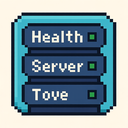
In the evolving landscape of digital interfaces and user experience design, icons serve as vital visual language — concise yet expressive representations of complex systems. One such powerful icon concept unifies three essential elements: Health, Server, and Pixel art. This icon is not merely a decorative symbol; it is a carefully constructed visual metaphor that communicates both functionality and emotional resonance in the digital realm.
The core of this icon is rooted in the concept of Health. In modern technology, particularly within gaming, cloud computing, and networked applications, health indicators are crucial. They represent system status — whether a server is operating at optimal capacity, a game world is stable, or user data remains secure. This icon translates that abstract notion into tangible form: the central structure appears as an evolving grid of segmented blocks. Each block corresponds to a specific metric such as CPU usage, memory load, bandwidth throughput, or response time. The coloration of these blocks follows a health-based gradient — green for optimal performance, yellow for caution zones, and red when thresholds are breached. This visual design directly mirrors real-time health monitoring dashboards found in enterprise software and game servers.
Embedded within this health grid is the representation of a Server. The server is not depicted as a complex machine but instead abstracted into a minimalist, blocky architecture. At its core lies a central column made of stacked pixelated cubes — each layer symbolizing different components: processing units, storage drives, and network interfaces. These components are arranged in a way that suggests connectivity and data flow: thin horizontal lines link the cubes to surrounding nodes on the edges of the icon, representing incoming and outgoing data streams. The server is not just passive; it actively interacts with its environment through pulses or subtle animations (even in static form, these can be inferred via edge lighting) indicating live monitoring or ongoing operations.
What truly distinguishes this icon is its adherence to the aesthetic of Pixel art. Originating from retro video games and early digital design, pixel art emphasizes simplicity, clarity, and nostalgic charm. Every line and block in the icon follows a strict 8x8 or 16x16 pixel grid system. The edges are sharp, colors are limited to a palette of primary tones — deep blue for server infrastructure, vibrant green for health stability, warm orange for active performance zones — with subtle contrasts that enhance readability. This style gives the icon a timeless feel, making it instantly recognizable across devices and platforms from smartphones to desktop monitors.
The fusion of pixel art with health and server concepts creates an icon that is both technically accurate and aesthetically engaging. Unlike overly complex or cluttered dashboards, this design communicates critical information at a glance — ideal for users who need quick insight without navigating through menus. For example, in a game server management interface, the player can instantly assess whether their virtual world is stable (all green blocks), if there's a performance lag (yellow zones), or if a crash may be imminent (red segments). Similarly, in enterprise monitoring tools, administrators can use this icon as a visual cue to quickly detect anomalies before they escalate.
Furthermore, the pixel art style ensures accessibility and scalability. The icon maintains its integrity at various resolutions — from small app icons on mobile devices to large banners on control panels — without losing clarity or meaning. It is also highly compatible with low-bandwidth environments, where bandwidth optimization is critical. This makes it ideal for use in remote systems, embedded devices, or regions with limited internet access.
The emotional appeal of this icon lies in its balance between technical precision and human-centered design. It does not overwhelm the user with data; instead, it simplifies complex monitoring into a digestible format. The pixel art style adds a layer of familiarity — users may associate pixel-based visuals with classic games like Minecraft or Terraria, where server stability and resource management are central to gameplay. This shared cultural memory enhances user trust and engagement.
Additionally, the icon supports dynamic behavior in interactive applications. For instance, when health degrades over time due to high load or network latency, the blocks transition from green to yellow and then red through a smooth pixel-based animation sequence — mimicking real-world degradation. The server structure may pulse slightly during active operations, reinforcing its role as a living system rather than a static object.
Finally, this icon serves as an educational tool. By combining health monitoring with server infrastructure in an accessible format, it introduces users to core IT concepts in a non-threatening way — especially valuable for novice developers, gamers, or students learning about networked systems. The pixel art style makes these abstract ideas more approachable and less intimidating.
In conclusion, the Health, Server, and Pixel Art icon represents a harmonious blend of functionality and visual appeal. It leverages the precision of health monitoring systems, the structural integrity of server architecture, and the timeless elegance of pixel art to create a powerful symbol that is both informative and emotionally resonant. As digital interfaces grow more complex, such icons remain essential tools for clarity, communication, and user trust.
Create your own icon with our GoGPT AI prompt:
GoGPT