

Software Battery Classic Free icon download
Download all to grab every PNG variant.
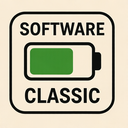
The classic software battery icon stands as a remarkable fusion of technological function, historical design evolution, and enduring visual symbolism. This icon encapsulates three essential themes—software, battery, and classic—each playing a critical role in its identity, meaning, and widespread recognition across digital platforms. As both a functional interface element and an iconic piece of digital design history, this icon serves as a bridge between past computing traditions and modern technological advancements.
Software, the first pillar of this icon's significance, represents not only the programs that run on devices but also the abstract concept of digital functionality. The software component is reflected in how this battery symbol functions within user interfaces—not merely as a static image, but as a dynamic indicator that communicates real-time data. In countless operating systems from early Windows versions to modern macOS and Android, the battery icon appears within status bars, system menus, and application dashboards. It acts as a software-driven feedback mechanism: when an application consumes more power or when system processes are running at peak efficiency, this visual cue helps users understand resource usage. The fact that it's programmatically updated by the underlying software infrastructure underscores its role as a vital interface between hardware and user experience.
Furthermore, the software aspect extends beyond functionality to include design philosophy. The classic battery icon was one of the first instances where abstract digital concepts were represented through simplified, universally understandable graphics. This early form of visual programming—using icons to convey complex information—paved the way for modern user interface paradigms. The decision to represent power levels with a stylized battery shape was not arbitrary; it leveraged human cognitive patterns that associate physical batteries with charge and energy. By integrating this intuitive metaphor into software design, developers created an interface element that required minimal learning and maximum clarity—a hallmark of effective software usability.
The battery aspect of the icon is both literal and symbolic. Literally, it represents the remaining power in a device’s primary energy source—be it a laptop battery, smartphone cell, or tablet accumulator. The visual design typically features a rectangular shape with internal segments (often four or five) that fill or empty depending on charge level. These segments are usually shaded differently to convey levels: full green for high charge, yellow for medium, and red for low. This color-coded system is rooted in decades of electrical engineering and industrial design, where color psychology has long been used to communicate urgency and status.
Symbolically, the battery icon represents more than mere power—it embodies autonomy. A charged device with a full battery means independence from outlets, freedom to move, and uninterrupted access to software tools. In this sense, the icon functions as a digital guardian of user mobility and workflow continuity. It reminds users that their software capabilities—whether editing documents, making calls, streaming content or running complex applications—are directly dependent on an invisible but vital energy source. The battery's presence in every modern interface underscores the inseparable relationship between software functionality and physical power supply.
The classic dimension of this icon is perhaps its most enduring quality. Evolving from simple monochrome silhouettes in 1980s computing to the polished, scalable vector designs of today, the classic battery icon has retained its core form while adapting to changing screen resolutions and interface styles. Its roots trace back to early portable computers like the Osborne Executive and Compaq Portable, where space was limited and visual clarity paramount. Designers had to distill a complex technical concept into a few lines—hence the minimalist, rectangular battery with segmented indicators.
What makes this icon “classic” is not just its age but its timelessness. Unlike many fleeting design trends that come and go, the software battery icon has remained largely unchanged in form since the mid-1990s. It appears across platforms—from Apple's macOS to Microsoft Windows, from Google’s Android to Linux desktop environments—proof of its universal acceptance and functional efficacy. This consistency speaks volumes about good design: when an icon communicates clearly and reliably across cultures, devices, and generations, it becomes a cultural artifact of digital life.
Moreover, the classic aesthetic contributes to emotional resonance. For many users—especially those who remember early laptops or the first mobile phones—the battery icon evokes nostalgia. It’s a visual trigger for memories of late-night work sessions fueled by dwindling charge, emergency charging routines, and the anxiety of finding a power outlet before time runs out. This emotional layer adds depth to what might otherwise be considered a purely functional graphic element.
In conclusion, the classic software battery icon is far more than a simple visual cue. It is a sophisticated symbol that successfully merges software intelligence, battery functionality, and timeless classic design. It exemplifies how good interface design transcends trends to become part of the collective digital memory—a quiet yet powerful indicator that reminds us not just of our device’s power level, but of our enduring relationship with technology.
Create your own icon with our GoGPT AI prompt:
GoGPT