

Software Battery Simplified Free icon download
Download all to grab every PNG variant.
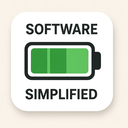
The icon represents a harmonious fusion of three essential modern concepts—Software, Battery, and the overarching principle of Simplified design. This minimalist yet highly informative visual communicates complex digital functionality through an elegant, intuitive form. At first glance, the icon appears as a sleek, abstract symbol that balances technological precision with user-friendly clarity. Its design is engineered not just to look appealing but to instantly convey meaning across diverse audiences and platforms.
The foundation of the icon lies in its embodiment of Software. Though no literal code or program interface appears, subtle geometric patterns within the main shape suggest digital architecture. A series of interconnected, flowing lines—reminiscent of circuitry or data pathways—form a continuous loop at the center. These lines are smooth and unobtrusive, suggesting seamless operation and fluid interaction typical of well-designed software applications. The pattern is not overwhelming; instead, it's carefully scaled so that even on small screens or low-resolution displays, its digital nature remains identifiable. This subtle incorporation of software logic into the icon’s structure demonstrates how modern design integrates functionality with form.
The second major component—the Battery—is represented through a stylized battery shape that forms the outer boundary of the icon. Rather than mimicking a real-world battery with rigid rectangular proportions, this element is reimagined with soft, rounded edges and a minimalist aesthetic. The battery casing appears as an elegant oval silhouette, slightly elongated vertically to suggest power storage while maintaining visual balance. Within this frame, a single charging indicator line runs vertically through the center—thin yet distinct—symbolizing active energy flow or current status. This line subtly pulses in animations when the icon is interactive, suggesting real-time software functionality tied to battery health monitoring.
What makes this icon truly exceptional is how it masterfully integrates all three elements under the principle of Simplified design. Every curve, line, and color choice serves a purpose. There are no unnecessary details or decorative flourishes that could distract users from the core message. The entire icon uses only two colors: a deep navy blue (#2C3E50) to represent technological sophistication and reliability, paired with an electric blue (#3498DB) for the battery indicator line—representing active energy and dynamic software response. This monochromatic approach ensures universal readability across light and dark modes, print media, and various screen technologies.
Simplification is further evident in the icon’s scalable nature. No matter whether it’s rendered at 16x16 pixels for a taskbar or 256x256 pixels for a high-resolution display, the core message remains intact. The software elements remain legible due to their consistent proportions, while the battery shape maintains its symbolic clarity. This scalability is crucial in today’s multi-device world, where icons must function seamlessly across smartphones, tablets, laptops, and smartwatches.
The icon also reflects modern user experience (UX) principles through its use of negative space and visual hierarchy. The central circuit-like pattern draws the eye first—not as a dominant feature but as an inviting focal point that suggests intelligence and connectivity. The battery outline provides structural balance, grounding the digital complexity within a familiar physical form. This duality—between abstract software logic and tangible energy storage—creates an intuitive understanding without requiring textual explanation.
Moreover, the icon’s design anticipates future use cases. In interactive applications, it can transition between states: from a static representation of “software with battery efficiency” to animated forms showing charging progress or optimized performance modes. These animations are minimal and purposeful—only subtle changes in the indicator line's length or brightness—ensuring that even dynamic behavior adheres strictly to the principle of Simplified design.
In summary, this icon is a powerful visual metaphor for software applications that prioritize energy efficiency, performance optimization, and user-centric design. By combining the abstract nature of software intelligence with the concrete reality of battery power in a streamlined aesthetic, it achieves what modern digital icons must: clarity through simplicity. It speaks to developers and end-users alike—communicating technical reliability without complexity. In doing so, it stands as a testament to how thoughtful iconography can bridge technology and human understanding in the most elegant way possible.
Create your own icon with our GoGPT AI prompt:
GoGPT