

Software Book Vector Free icon download
Download all to grab every PNG variant.
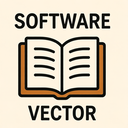
The icon in question is a meticulously designed digital symbol that masterfully integrates the concepts of software, book, and vector graphics. At first glance, it appears as a sleek, modern emblem suitable for use across digital platforms—from mobile applications to web interfaces. However, upon deeper examination, its layered symbolism reveals an elegant fusion of technology and knowledge, reflecting the convergence of digital tools with intellectual content through the precision of vector-based design.
The central theme of this icon lies in the harmonious blend between software—a domain defined by code, interactivity, and dynamic functionality—and the timeless essence of a book, symbolizing wisdom, storytelling, documentation, and structured learning. This juxtaposition is not coincidental; rather, it reflects an evolving digital paradigm where traditional knowledge repositories are being transformed by software-driven platforms. Whether used in educational apps, e-learning systems, coding tutorials, or technical documentation interfaces, this icon serves as a visual metaphor for the digital age’s fusion of information access and interactive technology.
The book component is rendered with clean lines and symbolic details. Instead of depicting a literal stack of pages or a leather-bound cover, the design uses abstract elements to suggest volume and literacy. The spine is subtly shaped to resemble circuit patterns, hinting at the digital underpinnings of modern knowledge systems. The pages are not fully visible but appear as layered planes that gently curve upward from the base—a visual cue implying both readability and forward motion toward discovery. This abstraction preserves clarity even at small sizes, ensuring legibility across devices.
The integration of software elements is achieved through geometric precision and digital aesthetics. Embedded within the book’s spine are delicate, stylized code brackets and binary-like symbols—such as alternating 0s and 1s—integrated into the design in a way that feels organic rather than forced. These details are not meant to be read directly but serve as visual cues for software development, programming, or digital content creation.
Additionally, one of the upper pages is slightly detached and angled outward, forming a subtle "launch" effect. This motion implies interaction—something a user might click on or tap—to access an application or document. The page’s edge is subtly rounded with a gradient that simulates light reflection, further enhancing the icon’s digital authenticity. This design choice reinforces the idea of software as both content and experience: not just something you read, but something you engage with.
What truly sets this icon apart is its vector-based construction. Unlike raster images that lose quality when scaled, this icon is crafted entirely from mathematical paths, curves, and points—hallmarks of vector graphics. This ensures flawless rendering at any size: from a tiny 16x16 pixel favicon to a high-resolution 512x512 display on a desktop monitor or tablet.
The use of vectors allows for extreme detail without compromising performance. Every curve in the book’s spine, every subtle gradient in the page surface, and every micro-connection between code symbols is defined by Bézier curves and precise anchor points. The icon employs a monochromatic base with optional accent colors (often deep blue or electric cyan) to enhance its digital presence while maintaining accessibility across various color schemes.
Moreover, the vector format enables easy customization. Designers can modify stroke weights, adjust spacing between elements, or reposition symbolic components without degradation—making this icon highly adaptable for branding purposes. For example, a tech company might use it as a logo element in an app store listing while adding dynamic animations (such as pages flipping or code lighting up) through CSS or SVG scripting.
Despite its complexity, the icon maintains visual balance and minimalism—a hallmark of effective vector design. The negative space around the book is carefully calibrated to prevent clutter, allowing it to stand out against any background. The overall silhouette forms a strong, recognizable shape even in simplified forms.
The icon’s style aligns with modern flat or neumorphic design trends but retains enough depth through subtle gradients and shadows to convey dimensionality without overwhelming the user. This balance makes it suitable for both dark-mode interfaces and light backgrounds, ensuring consistent visibility.
In essence, this icon transcends its individual components. It is not merely a book with code or a software symbol with pages—it is a holistic representation of how software, book, and vector graphics coalesce in the digital era. It captures the spirit of modern education, where learning materials are delivered through interactive platforms powered by robust code and rendered with pixel-perfect clarity.
Whether used in an e-learning platform, a developer’s documentation portal, or a mobile app for reading technical guides, this icon serves as a powerful visual shorthand: knowledge shaped by technology and crafted with the precision of vector design. It stands as a testament to the evolving relationship between human intellect and digital tools—one that continues to redefine how we access, interact with, and share information in the 21st century.
Create your own icon with our GoGPT AI prompt:
GoGPT