

Weather Airplane Pixel art Free icon download
Download all to grab every PNG variant.
In the realm of digital design, few visual styles evoke nostalgia and precision like pixel art. With its deliberate use of limited color palettes, blocky resolution, and meticulous hand-crafted detailing, pixel art transcends mere graphics—it becomes storytelling through tiny squares. At the heart of this aesthetic lies a unique icon that masterfully blends three essential themes: Weather, Airplane, and the unmistakable charm of pixel art. This icon is not simply a symbol; it is a miniature world—a snapshot of travel, atmosphere, and digital craftsmanship.
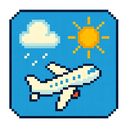
The icon measures exactly 32x32 pixels, adhering strictly to classic retro console standards. Each pixel is intentional, contributing to the overall narrative. At the center stands a stylized airplane, rendered in crisp 8-bit clarity. The aircraft is depicted in a slight upward tilt, as if ascending through clouds—a visual metaphor for both physical journey and emotional flight toward new horizons. Its body is constructed from a gradient of sky-blue and light gray pixels, subtly suggesting metallic fuselage with reflective highlights. The wings are sharp and angular, composed of three distinct horizontal rows of pixels: the upper wing (light blue), the main body (medium gray), and the lower edge (dark gray). The tail fin stands tall in solid dark blue, adding balance and directionality to the aircraft’s form.
The airplane's cockpit is highlighted with a single bright yellow pixel, evoking a pilot’s window glowing under sunlight. Two small red pixels form the landing gear doors, slightly recessed but clearly visible—tiny details that convey realism within minimalism. The propeller at the front is animated in its static representation through four alternating cyan and light gray pixels arranged in a circular pattern around the nose, suggesting motion and momentum even in stillness. This dynamic detail is crucial: it signals not just movement, but anticipation—an air traveler about to take off into unpredictable skies.
What truly elevates this icon from a mere aircraft silhouette is the surrounding weather environment. The background features an intricately crafted sky composed of 10 distinct colors, including soft white for clouds, deep navy blue for the upper atmosphere, and gradients of light gray to indicate overcast conditions. The cloud layer dominates the upper two-thirds of the icon space. Using a combination of 5x5 pixel cloud clusters with varying opacity (represented through pixel density), the design mimics natural cloud formations: some fluffy and round, others thin and streaked across the sky, suggesting wind currents. These are not flat shapes—they are layered with depth, using darker gray pixels to form shadows beneath each cloud mass for a sense of three-dimensionality.
Adding complexity and narrative tension, a subtle yet powerful weather condition is embedded: light rain. Scattered throughout the upper half of the icon are short diagonal lines made from dark blue and black pixels—each exactly two pixels long—forming droplets falling at varying angles. These aren’t randomly placed; they follow a gentle arc that suggests movement from left to right, as if caught in a breeze during flight. This detail is essential—it transforms the icon from serene to dynamic, hinting at the unpredictable nature of air travel and atmospheric conditions. The rain does not obscure the airplane; instead, it frames it—emphasizing its role as a vessel navigating through weather systems.
The horizon line is defined by a single row of pixels just below the center, using a gradient from light gray to pale yellow. This subtle suggestion of sunlight breaking through the clouds adds warmth and hope to an otherwise cool palette. It also serves as visual grounding—the boundary between sky and earth, between journey and destination.
Color choices are deliberate: a restrained palette of 16 colors ensures authenticity in pixel art tradition while maximizing emotional resonance. The dominant hues—sky blue, navy, light gray, white—are balanced with strategic accents of red (for landing gear), yellow (cockpit), and dark blue (rain) to guide the viewer’s eye. No color is wasted; every hue contributes to mood and meaning.
Technically speaking, this icon uses dithering techniques in select areas—especially around cloud edges—to simulate softness within a hard-edged medium. Anti-aliasing is not used in the traditional sense (as it would break pixel integrity), but subtle color blending via pixel adjacency creates the illusion of smooth transitions.
Functionally, this icon serves as more than decorative—it communicates information instantly. In a weather application, it could indicate “flight conditions” or “in-flight weather updates.” In a travel app, it might signal that current atmospheric conditions may affect your journey. Its compact size belies its depth: every pixel tells a story of climate, motion, and digital artistry.
In conclusion, this pixel art icon is not just an image—it’s a microcosm of human experience. It captures the delicate balance between nature’s unpredictability (Weather) and humanity’s ambition to conquer distance (Airplane) through the lens of nostalgic digital craftsmanship. It reminds us that even in a world of high-resolution screens and AI-generated graphics, there remains profound beauty in simplicity, one pixel at a time.
Create your own icon with our GoGPT AI prompt:
GoGPT