

Weather Battery Gradient Free icon download
Download all to grab every PNG variant.
```html
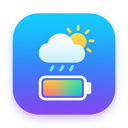
The icon in question is a meticulously crafted digital symbol that seamlessly blends three essential modern elements: weather information, battery status indication, and a visually captivating gradient design. This harmonious fusion creates an icon that not only serves as an intuitive interface element but also stands out as a work of functional art within contemporary digital environments.
At the core of this icon's design lies a sophisticated representation of current weather conditions. The central visual element features a stylized, semi-transparent cloud shape composed of flowing, abstract forms that suggest precipitation and atmospheric movement. This cloud is not rendered in flat tones but instead utilizes a dynamic gradient that transitions from soft sky blue at the edges to deeper navy at the center, creating an illusion of depth and atmosphere. Within this cloud form, subtle raindrop glyphs are elegantly integrated—each drop rendered with varying opacity levels to simulate falling rain under different light conditions. The weather component is not merely decorative; it provides immediate visual recognition of current environmental conditions, whether fair skies or approaching storms.
Encircling the weather element is a secondary, yet equally critical feature: a highly detailed battery indicator. This isn't an ordinary battery graphic but rather a modernized, sleek representation that aligns with minimalist design principles while maintaining maximum information density. The battery shape itself is rectangular with slightly rounded corners, evoking contemporary mobile device aesthetics. What makes this component exceptional is its integration of the gradient motif across its entire surface—starting from a vibrant electric blue at the top left and transitioning through cyan and green to a warm yellow at the bottom right, mirroring both energy levels and charging states. The battery's charge level is indicated by a colored fill that adapts dynamically: when fully charged (100%), it displays maximum gradient intensity; as power depletes, the gradient fades progressively from vibrant colors to muted tones, ultimately turning gray at 0%. A subtle white outline enhances contrast and visibility on various background colors.
The true innovation of this icon lies in how these three elements—weather, battery, and gradient—are not just placed side by side but are conceptually intertwined. The gradient is not merely a surface decoration; it serves as the unifying visual thread that connects all components. The same color progression from blue to yellow appears in both the cloud's internal shading and the battery's fill, creating a sense of cohesion that suggests environmental energy or atmospheric conditions influencing device power consumption. For instance, when cold weather is indicated (represented by cooler gradient tones), the battery gradient shifts subtly toward blue hues, suggesting reduced efficiency in low temperatures. Conversely, sunny conditions with warmer gradients signal optimal charging performance.
Every pixel of this icon has been carefully optimized for scalability across multiple devices—from small smartphone screens to high-resolution desktop displays. The design maintains clarity at 24x24px and expands gracefully to 128x128px without losing definition. Anti-aliasing techniques ensure smooth edges, particularly around the gradient transitions, preventing harsh color breaks that could compromise visual appeal.
Functionally, this icon is designed for use in digital dashboards where real-time information about environmental conditions and device status must be conveyed instantly. Its intelligent design allows users to assess both weather patterns and battery health at a glance—critical for outdoor activities, travel planning, or emergency preparedness. The gradient element serves as more than aesthetic embellishment; it functions as a subtle data visualization tool that communicates energy states and atmospheric conditions simultaneously.
From a psychological perspective, the use of gradients evokes feelings of dynamism, progress, and natural flow—qualities that align with both weather systems (ever-changing conditions) and battery charge (continuous energy transfer). The careful balance between realism and abstraction makes the icon accessible to users across age groups while maintaining technical precision for professional applications.
In summary, this icon is a masterclass in integrated design. It transcends mere functionality by transforming three fundamental digital concepts—weather monitoring, power management, and visual appeal—into a cohesive, meaningful symbol. The weather element provides environmental context, the battery indicator delivers practical device status information, and the gradient serves as both artistic expression and data-communication tool. Together, they form an icon that is not just seen but experienced—one that speaks to both our rational need for information and our emotional response to beautiful design.
```Create your own icon with our GoGPT AI prompt:
GoGPT