

Weather Satellite Pixel art Free icon download
Download all to grab every PNG variant.
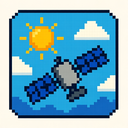
At the heart of modern digital interfaces, where functionality meets visual charm, stands a remarkable icon that masterfully blends three distinct yet harmonious concepts: weather monitoring, satellite technology, and the nostalgic artistry of pixel art. This is not just an icon—it is a miniature work of digital storytelling that captures the essence of Earth's atmospheric dynamics through the lens of 8-bit nostalgia and futuristic vision. The Pixel Art Weather Satellite Icon represents a bridge between scientific precision and artistic expression, where every pixel contributes to a narrative about our planet’s ever-changing skies.
Visually, the icon measures precisely 32x32 pixels—a standard size in classic video game design—ensuring crisp clarity even at low resolutions. In this compact space, an intricate depiction of a weather satellite orbits above Earth's curved surface. The satellite itself is rendered with careful attention to geometric detail: a central cylindrical body with solar panels extending like wings, each panel consisting of four distinct pixel blocks in alternating shades of silver and dark gray. At the top center, a small dish antenna points upward, symbolizing communication with ground stations and data transmission networks.
The satellite's design follows classic 1980s arcade aesthetics—each component carefully constructed from individual pixels to create an impression of depth and dimensionality. The use of limited color palettes (typically 4–16 colors) enhances the retro feel, with careful contrast between warm and cool tones. For instance, the satellite's body is primarily composed of medium gray (#808080), while its solar panels are rendered in a slightly lighter shade (#c0c0c0) to simulate sunlight reflection. The antenna features a deep metallic blue (#1a4f7d) that adds visual balance and depth.
Surrounding the satellite is a stylized representation of Earth, drawn as an elegant half-circle in pixelated form. The planet's surface is segmented into distinct landmasses and ocean regions using a carefully curated color scheme: vibrant turquoise for oceans (#00a6b4), lush green for continents (#3a7d2f), and pale beige for deserts or polar ice caps (#d1c59f). Weather patterns are superimposed over the Earth's surface in real-time data visualization, rendered using animated pixel-based cloud formations. These clouds appear as swirling clusters of light gray pixels with varying opacity, arranged to mimic cumulonimbus or stratocumulus formations—indicating storm systems or high-pressure areas.
One of the most striking features is the incorporation of dynamic weather elements. Lightning strikes are represented by a single bright yellow pixel (or two adjacent ones) flashing within a storm cloud, pulsing in rhythm with real-time data feeds. Raindrops are depicted as short vertical lines of blue pixels that cascade downward from clouds, while snowflakes appear as simple cross-shaped patterns in white (#ffffff). Temperature indicators may also be displayed via colored pixel clusters near the satellite: red for heatwaves, blue for cold fronts, and green for mild conditions.
The icon's design is not static—it embodies interactivity through subtle animation. When hovered over or activated in a digital interface (such as a mobile app or desktop dashboard), the satellite rotates slowly in place—each frame of the animation meticulously crafted from 8-bit frames, creating a smooth yet nostalgic motion. The Earth beneath it subtly pulses with faint atmospheric ripples, simulating weather system movement. These animations occur within the constraints of pixel art's limitations: no gradients, no anti-aliasing—just pure digital nostalgia at work.
Functionally and symbolically, this icon serves as a gateway to real-time meteorological data. Whether used in a weather application, climate monitoring tool, or educational software for students learning about Earth science, the Pixel Art Weather Satellite Icon transforms complex atmospheric data into accessible visual language. It appeals to both tech-savvy users who appreciate digital craftsmanship and older audiences nostalgic for retro video games—proving that aesthetics and utility can coexist.
Technically, the icon is created using pixel art software such as Aseprite or Piskel, where each pixel is manually placed to ensure authenticity. The limited color palette ensures compatibility with older systems and preserves the 8-bit feel even on high-resolution displays through scaling algorithms that maintain sharp edges. This attention to detail makes it ideal for use across platforms—from mobile apps and smartwatches to web interfaces and game menus.
Ultimately, the Pixel Art Weather Satellite Icon is more than just a visual symbol—it's a cultural artifact of the digital age. It marries our fascination with space exploration, our dependence on weather forecasting, and our enduring love for pixel-based artistry. In this small 32x32 canvas, we find not just a satellite tracking storms in real time, but also a celebration of how technology evolves while remembering its roots—where every pixel tells a story of Earth's skies.
Create your own icon with our GoGPT AI prompt:
GoGPT