

Weather Smartphone 3D isometric Free icon download
Download all to grab every PNG variant.
```html
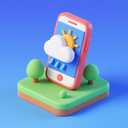
The weather smartphone icon described here is a masterful fusion of modern digital functionality and visual design innovation, seamlessly integrating the core elements of "Weather," "Smartphone," and "3D isometric" into a single cohesive and visually compelling graphic. This icon represents more than just an app symbol—it embodies the essence of contemporary mobile technology by providing instant, accessible weather information at a glance through an intuitive interface that leverages advanced visual techniques.
At its foundation lies a meticulously crafted 3D isometric smartphone design, rendered with precision to convey depth and realism. The device appears to float in space, tilted at a dynamic 30-degree angle along the horizontal axis, giving it a sense of physical presence and tangible dimensionality. Each side—the front display, the sleek bezel edges, and the back panel—has been carefully shaded using realistic gradients that simulate light interaction with material surfaces. The phone's body features subtle metallic accents along its frame and rounded corners that catch virtual light sources from above-left, creating soft highlights that enhance the 3D illusion.
The smartphone screen is not just a flat rectangle but an immersive visual experience. It displays a vibrant, animated weather interface rendered in a stylized yet highly legible manner. The central focus of the display is an elaborate 3D isometric weather visualization that transforms meteorological data into engaging visuals. At the heart of this digital dashboard sits a glowing, three-dimensional globe suspended within a transparent spherical frame—an artistic representation of Earth that rotates slowly to simulate planetary motion. Around this globe, various atmospheric elements are positioned in spatial depth: fluffy white clouds float at different elevations (some near the top, others mid-air), raindrops fall diagonally from the upper left toward the lower right with a slight transparency gradient for motion blur effect, and sun rays burst outward from a glowing solar icon positioned in the upper right quadrant.
The weather data is intelligently organized across multiple layers of depth. In front of the central globe, an animated temperature gauge extends vertically from bottom to top, with colorful markers indicating current temperature (e.g., 72°F or 22°C) and a dynamic heat wave ripple effect radiating outward. At the bottom corners of the screen, two small but detailed weather indicators are positioned in true isometric perspective—one shows a sun icon with rays that appear to project from beneath it into space, while the other displays a cloud with subtle raindrop textures that seem to fall through air layers. These icons have slight depth shadows beneath them, reinforcing their placement within the 3D space of the phone’s interface.
What truly distinguishes this icon is its use of 3D isometric perspective not only in the smartphone body but throughout every element of its interface. The weather symbols themselves are rendered with consistent isometric alignment: clouds, suns, raindrops, and even wind indicators all follow the same angled coordinate system. This creates a harmonious visual language where elements appear to coexist within the same physical environment—neither flat nor perspective-free but firmly rooted in a simulated three-dimensional world. The icons on the screen are not merely overlays; they occupy their own spatial zones, some appearing closer than others through strategic layering and size variation.
Color palettes contribute significantly to both aesthetic appeal and functional clarity. The smartphone itself features cool metallic silver and charcoal gray tones that convey modernity and technological sophistication. The weather interface, however, bursts with vibrant gradients: turquoise for clear skies, deep blue for stormy clouds, golden yellow for sunshine, and soft pink/orange hues during sunset transitions. These colors are used in a way that enhances depth—lighter shades appear closer to the viewer while darker tones recede into background layers.
Functionality is subtly implied through design details. The power button on the right edge of the phone glows faintly blue, suggesting active status; a small signal bar icon near the top-left corner indicates network connectivity—both indicators rendered in 3D with realistic lighting effects. Even the tiny camera lens and speaker grill on the back are detailed with depth, texture, and micro-shadows that make them feel real.
In summary, this weather smartphone icon is a triumph of modern digital design. It transforms abstract meteorological data into an immersive 3D experience through sophisticated isometric techniques applied to both physical object (the smartphone) and its virtual content (the weather interface). By harmonizing the keywords "Weather," "Smartphone," and "3D isometric" into a single, cohesive visual narrative, it serves not only as a functional app icon but as an artistic representation of how technology enriches our daily lives—one glance at the weather from your digital device becomes a moment of aesthetic pleasure and practical insight.
```Create your own icon with our GoGPT AI prompt:
GoGPT