

Weather Tree Flat design Free icon download
Download all to grab every PNG variant.
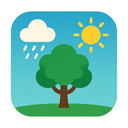
The icon under description is a meticulously crafted representation of nature's harmonious relationship with atmospheric conditions, rendered through the principles of contemporary flat design. At its core lies the intersection of three fundamental elements: Weather, Tree, and Flat Design. This singular visual concept transcends mere symbolism to become a powerful minimalist statement about environmental awareness in digital interfaces.
The central figure is a stylized tree that serves as both an anchor and a metaphor for ecological balance. Crafted with clean geometric precision typical of flat design aesthetics, the tree exhibits no gradients, shadows, or complex textures. Instead, it relies entirely on bold shapes and solid color fills to convey its form. The trunk is a vertically oriented rectangle with slightly tapered ends to suggest natural growth patterns while maintaining perfect symmetry—an elegant compromise between organic authenticity and digital simplicity.
Branches extend outward from the central trunk in a carefully balanced arrangement, each line segment rendered with equal thickness and sharp angles. These branches do not mimic real tree branching but instead form a symmetrical, almost mathematical pattern reminiscent of topiary art or abstract botanical illustrations. The canopy is represented by a series of overlapping circular or elliptical shapes stacked vertically to create depth without perspective distortion—a hallmark of flat design. This layered approach allows the icon to suggest volume and foliage density while preserving its two-dimensional integrity.
What transforms this simple tree into a weather-responsive symbol is the integration of atmospheric elements seamlessly embedded within the design. Subtle yet distinct indicators of weather conditions are incorporated through strategic use of color, shape, and placement. For instance, when depicting clear skies or sunny conditions, delicate radiating lines extend from above the tree canopy—stylized sunbeams composed of thin straight lines with evenly spaced gaps to evoke light filtering through leaves.
In contrast, for cloudy weather representations, a series of soft-edged ovals in varying shades of gray float above the tree's crown. These cloud shapes are not realistic depictions but rather abstract forms that maintain consistency in their flatness—each cloud consists of two or three overlapping circles with no gradients and minimal stroke width. The spacing between these elements creates a sense of movement and atmospheric density without violating the icon's minimalist philosophy.
For rainy conditions, small droplets are added to the design—tiny circles arranged in diagonal lines descending from the cloud shapes toward the tree. These raindrops are rendered with perfect geometric precision: each is a circle with a vertical stroke extending downward from its center, suggesting motion while adhering strictly to flat design principles. The color scheme shifts accordingly—from pale blue for light drizzle to dark gray or deep indigo for heavy downpours—ensuring that the weather condition is instantly recognizable without textual explanation.
When snow is indicated, the icon undergoes a transformation characterized by white circular shapes scattered randomly throughout the upper portion of the design. These "snowflakes" are not intricate, detailed designs but rather simple six-pointed stars or basic circles with small cross marks—perfectly aligned with flat design's emphasis on clarity and simplicity. Their placement suggests falling snow without implying depth or animation.
Even wind conditions are represented through subtle yet effective visual cues. In a breezy setting, the tree's branches tilt slightly to one side, creating a sense of movement without requiring actual animation. The canopy may appear slightly asymmetrical as if swaying under gentle gusts. These adjustments are achieved purely through line manipulation and slight repositioning of shapes—never through shading or texture.
Color plays a crucial role in conveying weather conditions while maintaining the icon's flat design integrity. Each weather state is assigned a distinct yet harmonious color palette: warm yellows and oranges for sunny days, cool grays and blues for overcast skies, crisp whites with faint blue undertones for snow, and deep navy or charcoal for stormy conditions. All colors are applied uniformly across shapes—no gradients or highlights—ensuring that the icon remains true to flat design philosophy.
The overall composition is balanced and symmetrical, with the tree acting as a focal point around which weather elements orbit without disrupting visual harmony. Negative space is used strategically to separate atmospheric conditions from the tree structure, ensuring clarity even at small sizes. This makes the icon highly functional across various digital platforms—from mobile app icons to dashboard widgets.
In conclusion, this Weather Tree flat design icon represents a sophisticated synthesis of nature, atmosphere, and modern visual language. It demonstrates how complex concepts like environmental change and meteorological conditions can be distilled into simple, universally understood symbols through the lens of flat design. By focusing on essential forms, precise geometry, and strategic color coding, the icon achieves both aesthetic elegance and practical functionality—making it an exemplary case study in contemporary iconography.
Create your own icon with our GoGPT AI prompt:
GoGPT