

Hot Tab 2.0 in Chrome with OffiDocs

Ad
DESCRIPTION
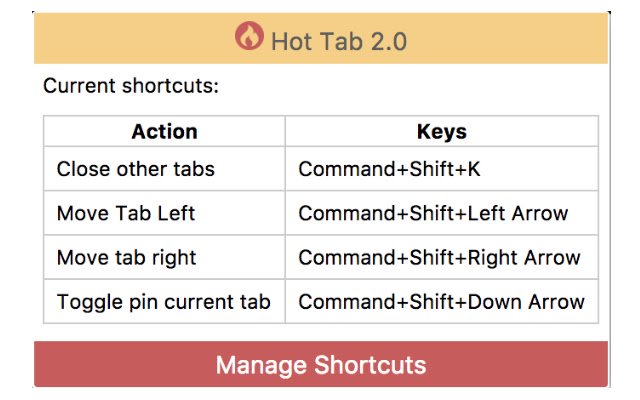
Updates: You can now see all registered shortcuts by clicking the toolbar icon.
You can now change the keyboard shortcuts by clicking on the app icon and clicking "Mange Shortcuts" I got sick and tired of not being able to move my tabs left or right by use of hot keys (which, to me, seems like a feature that should be natively available in Chrome).
Anyway, I've added hotkey support through this extension.
Hot keys are registered by default as such: Move Left: Cmd/Ctrl+Shift+Left Move Right: Cmd/Ctrl+Shift+Right Pin/Unpin Tab: Cmd/Ctrl+Shift+Down Close other tabs: Cmd/Ctrl+Shift+K Please leave feedback if you have any problems/ideas.
Additional Information:
- Offered by Mike Quinlan
- Average rating : 5 stars (loved it)
Hot Tab 2.0 web extension integrated with the OffiDocs Chromium online


