

NotePlan Web Clipper in Chrome with OffiDocs

Ad
DESCRIPTION
Save web content to NotePlan with one click
Stop letting great web content get lost in browser tabs. Start connecting it directly to your calendar, tasks, and notes. The Noteplan Web Clipper is the bridge between your online research and your productivity workflow.
Capture articles, references, and inspiration as clean Markdown and send them exactly where you need them: today's Daily Note, a future date for review, or a specific project note. Transform fleeting information into a permanent, organized, and actionable part of your knowledge system.
[Key Features]
• All-in-One Clipping: Collect article content, author details, links, and personal annotations in one click.
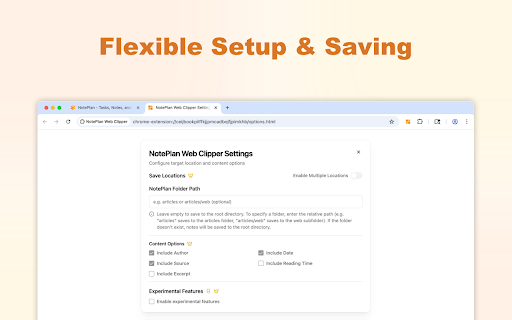
• Customizable Storage: Save to multiple Noteplan notes or folders with deep-link support for better context and categorization.
• Focused Reading Experience: Convert web content into neatly packaged Noteplan notes, helping you stay organized and avoid clutter.
• In-Context Notes: Jot down thoughts or insights at the moment of clipping, so your ideas remain paired with their source.
[Not an Official Plugin]
Please note, this is an independent extension built to align with Noteplan’s style and functionality, allowing you to expand your workspace efficiently.
While not affiliated with Noteplan itself, the Noteplan Web Clipper is continuously updated and refined to give you a consistent, intuitive capturing experience.
NotePlan Web Clipper web extension integrated with the OffiDocs Chromium online


