

Whitelist Manager in Chrome with OffiDocs

Ad
DESCRIPTION
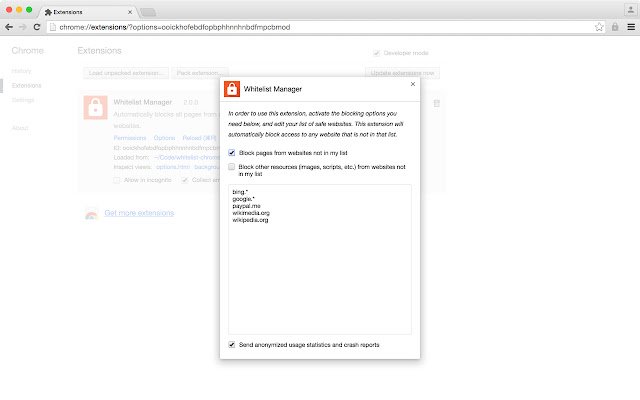
Set website whitelist for your browser and automatically block all other sites.
Whitelist manager blocks all websites besides a list of allowed safety domains.
This app is gonna be helpful for parents if you want to limit your children's surfing thought the web and sketchy content.
As well as you want to stay focused on something important like work or exam preparing you can just create a site whitelist and deny an access to all entertain websites.
Create your own whitelist of safe websites that automatically blocks all other sites.
Consider a few tips: - Use wildcards.
For example, if you add 'google.
*' to whitelist, you WILL be able to access 'google.
com', 'google.
de', 'google.
es', etc.
- If you specify only domain of the website, its subdomains will also be allowed.
By adding 'google.
com', you WILL be able to access 'mail.
google.
com', 'maps.
google.
com', etc.
- If you specify both the domain and the subdomain of the website, it means only subdomain will be allowed.
So if you add 'www.
google.
com', you WILL NOT be able to access 'mail.
google.
com', 'maps.
google.
com', etc.
Additional Information:
- Offered by Walter Garcia
- Average rating : 4.61 stars (loved it)
- Developer This email address is being protected from spambots. You need JavaScript enabled to view it.
Whitelist Manager web extension integrated with the OffiDocs Chromium online


