

AWS dashboard in Chrome with OffiDocs

Ad
DESCRIPTION
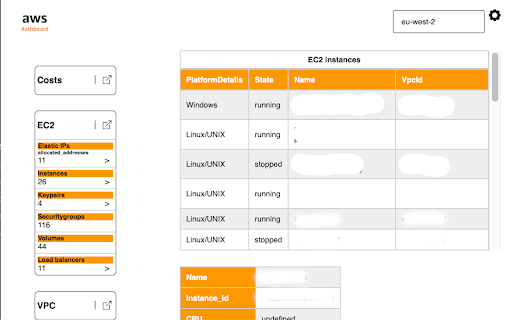
The AWS Dashboard extension provides a seamless and convenient way to access the AWS Console directly from the browser's toolbar.
[ v0.0.10 ] Still a test version
Features:
The first goal with this extension is to show all the main resources on AWS. Later the extension will be capable of doing tasks on AWS resources.
At the moment not all features work - they are WIP.
Usage:
Create a file on you local machine where the browser can load it from.
The format of the file is the same as the aws cli's credentials file.
Sample:
[profile_name]
aws_access_key_id =
aws_secret_access_key =
aws_session_token = ( optional )
Same as with the aws cli - you can have multiple profiles inside the credential file. The extension will store all in the browser's storage and they can be chosen on the option page.
I suggest creating a user with only read access ( for the alpha version ) to the AWS resources in IAM when using this extension.
All reviews and opinions are appreciated. Thanks.
Disclaimer:
The extension stores all data in the browser, nothing leaves the user's computer. It is the user's responsibility to erase sensible data if needed.
AWS dashboard web extension integrated with the OffiDocs Chromium online


