

NotExp in Chrome with OffiDocs

Ad
DESCRIPTION
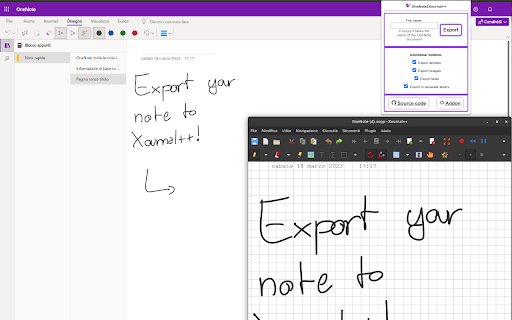
This addon converts OneNote notes to Xournal++ notes.
How does it work:
The addon scans the page looking for the images, pen/highlighter strokes and texts, then it tries to convert them from HTML format to Xournal++ XML format.
The conversion is completely done by your computer, so no data are collected or sent to external servers.
How to use:
There are a few steps that are required to get an optimal result:
* Open the notes that you want to convert
* Scroll the notes down to the bottom. This step is needed because OneNote loads images and strokes lazily, doing that you force it to download them all.
* Press the addon button on your Toolbar, click on "Export" and wait
Once the page is converted, the exported file will be saved on your computer like a downloaded file.
The time required for the conversion depends on your computer and the size of your notes.
NotExp web extension integrated with the OffiDocs Chromium online


