

Leet Lock in Chrome with OffiDocs

Ad
DESCRIPTION
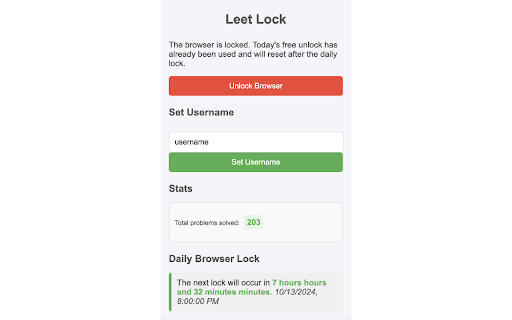
Leet Lock is a productivity tool that enforces daily LeetCode solving.
Leet Lock forces you to solve a daily LeetCode problem before allowing access to other websites, ensuring you prioritize your coding practice and stay on track with your learning goals.
Setup is Easy:
1. Install the extension and set your LeetCode username in the extension popup.
2. Manually lock the browser to get started.
How it works:
• Locking Behavior: When the browser is locked, accessing domains other than LeetCode.com and Google.com will result in a redirection.
• Automatic Unlock: The browser automatically unlocks for the day upon successfully solving a new LeetCode problem, rewarding your efforts with full browsing access.
• Daily Browser Lock: Each day, the browser automatically re-locks itself at midnight UTC, displayed by the lock timer.
• Emergency Unlock: If needed, a 30-minute manual unlock is available once per day. This feature refreshes when the Daily Browser Lock occurs.
Leet Lock web extension integrated with the OffiDocs Chromium online


