

GPT Tunnel in Chrome with OffiDocs

Ad
DESCRIPTION
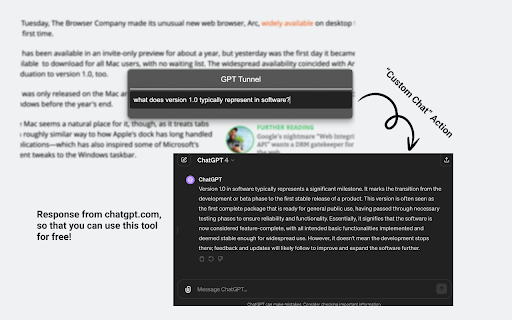
Start a conversation with ChatGPT from a separate webpage, using the local webpage context.
GPT-Tunnel provides a set of simple and powerful actions like explaining selected text on a webpage or asking a question about article. No login, no payment, no separate service. Because it uses ChatGPT under the hood, it's free for ChatGPT users.
Press `Command + Shift + X` to open the command palette in Mac. Or `Win + Shift + X` for windows. You can customize this shortcut via the extension popup.
If you select text to focus on, then the available actions are:
- Custom Chat (Press C), then enter a prompt
- Explain (Press E)
- Stylize (Press S), then enter a description of the style you'd like
If you do not select text to focus on, then the available actions are:
- Custom Chat (Press C), then enter a prompt
- Key Points (Press K)
The new chat window opens on the right-half of your screen if you use the chrome browser. This feature doesn't work in Arc.
This extension requests permission to "Read and change all your data on the websites you visit". This is necessary because it has to read the webpage to gather the local context when you trigger an action.
GPT Tunnel web extension integrated with the OffiDocs Chromium online


