

Simple Mouse Gestures in Chrome with OffiDocs
Ad
DESCRIPTION
Extension that provides the ability to define mouse gestures that will run specific actions in your Google Chrome browser
Google Chrome extension that provides the ability to define mouse gestures that will run specific actions in your browser.
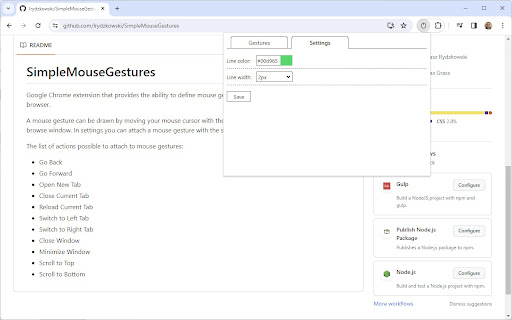
A mouse gesture can be drawn by moving your mouse cursor with the right mouse button pressed inside your browse window. In settings you can attach a mouse gesture with the specific action.
The list of actions possible to attach to mouse gestures:
- Go Back
- Go Forward
- Open New Tab
- Close Current Tab
- Reload Current Tab
- Switch to Left Tab
- Switch to Right Tab
- Close Window
- Minimize Window
- Scroll to Top
- Scroll to Bottom
- Reopen Tab
- Duplicate Tab
- Open New Window
- Search Highlighted Text
- Close Tabs to the Right
Other settings:
- Line color
- Line width
It works only in Windows operating system.
GitHub repository: https://github.com/lrydzkowski/SimpleMouseGestures
Simple Mouse Gestures web extension integrated with the OffiDocs Chromium online


