

Witlingo CE in Chrome with OffiDocs

Ad
DESCRIPTION
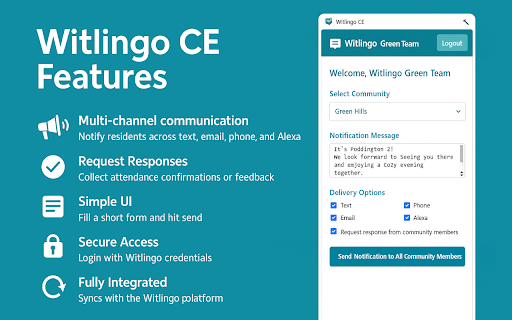
Send mass notifications to community residents
The Witlingo Web Browser Extension enables staff to quickly send immediate notifications to all opted-in community members directly from their web browser — no full login to the Witlingo portal required. Designed for speed and simplicity, the extension streamlines the notification process by focusing purely on sending instant messages. It does not support advanced features like tagging or scheduling; for those, users must log in to the full web portal. Using the extension is simple: click the icon, select the community (if you manage more than one), type your message, choose your channels (text, phone, email), and send. It’s the fastest way to stay connected with your community in real time.
Witlingo CE web extension integrated with the OffiDocs Chromium online


