

Redmine Time Tracking in Chrome with OffiDocs

Ad
DESCRIPTION
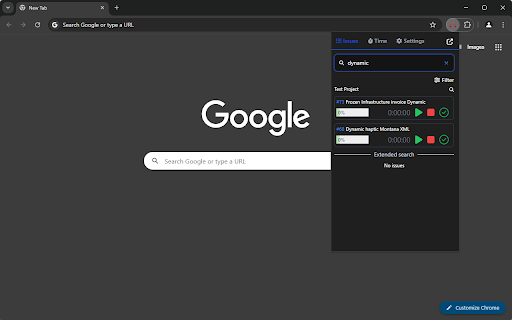
Start-stop timer for Redmine
# Features
- View all your assigned Redmine issues grouped by projects
- Filter issues by projects
- Group issues by target version
- Search for issues (press `CTRL` + `K` or `CTRL` + `F`)
- Start, stop and edit the timer for your current tasks
- Create entry for time spent (and for multiple users at once)
- Update done ratio for issues
- Pin and unpin issues (display at the top of the project)
- Remember and forget issue (not assigned to you)
- View time entries for current and last week
- Multiple languages
- Dark & light mode (system default)
# Feedback
https://github.com/CrawlerCode/redmine-time-tracking/discussions/1
# Credits
Logo is Copyright (C) 2009 Martin Herr and is licensed under Creative Commons (https://www.redmine.org/projects/redmine/wiki/logo)
Redmine Time Tracking web extension integrated with the OffiDocs Chromium online


