

show hime in Chrome with OffiDocs

Ad
DESCRIPTION
This is a chrome plugin that displays the idol m@ster million stars 2d image on the web.
Although the name is show まつり(hime), you can already set any idol.
Introduction to use: 1. By default, idol will be displayed in the top right corner of the web page, you can drag, double click to hide, click on the plugin button to hide/show Note: The position after dragging will be saved, and the new web page will display idol at the last dragged position.
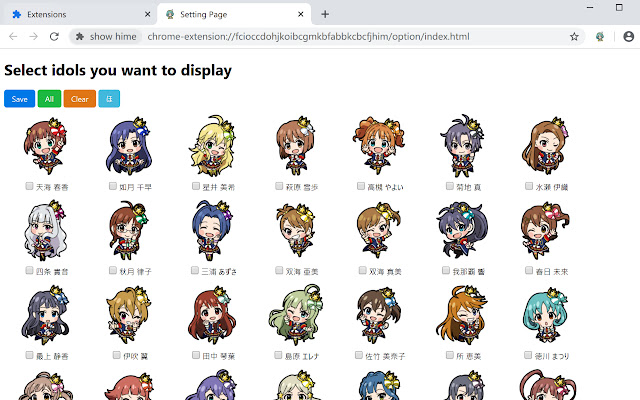
2. Any webpage right-click menu - plugin button or right click plugin - option, then go to the options page (pictured) and select the idol you want to display.
Note: After selecting multiple idols, each time you enter a new page, an idol will be displayed randomly each idol may have more 2d images; if the initial state is not set to idol, the default is まつり Keyword: 偶像大师 百万现场 idolm@ster idolmaster 765 millionlive im@s imas アイドルマスター アイマス 765プロ ミリオンライブ
Additional Information:
- Offered by Tmn07P
- Average rating : 5 stars (loved it)
- Developer This email address is being protected from spambots. You need JavaScript enabled to view it.
show hime web extension integrated with the OffiDocs Chromium online


