

SuperChromePass in Chrome with OffiDocs
Ad
DESCRIPTION
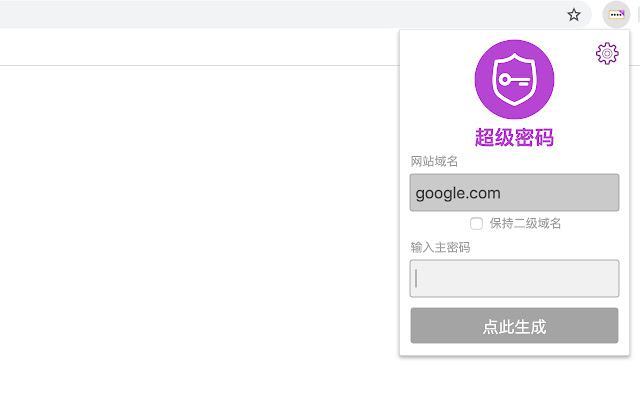
A SuperGenPass Google Chrome Extension How It Works Step 1 Click on the SuperGenÂPass extension button.
Step 2 Type your master password and Enter.
Step 3 Your password is generated and fill on input field.
Do you know SuperGenPass? SuperGenPass is a useful bookmarklet.
You can make unique strong secured password for each websites and No Need to remember.
For more information, visit http://supergenpass.
com.
Additional Information:
- Offered by 70apps.com
- Average rating : 4.67 stars (loved it)
- Developer This email address is being protected from spambots. You need JavaScript enabled to view it.
SuperChromePass web extension integrated with the OffiDocs Chromium online


