

Hylinker Hyperlink among annotation notes in Chrome with OffiDocs

Ad
DESCRIPTION
Annotate text, images and videos. Link them as you think. Integrate with Note Apps.
What you can do with Hylinker:
- Annotate, collect text and images from web pages.
- Annotate PDFs and take screenshots.
- Take timestamped notes and save screenshots while watching videos.
- Take Zettelkasten/slip-box notes. To open this interface, click "Hylinker" in a new tab, or right-click "Hylinker" and select "Options".
- Organize annotations and notes with hyperlinks.
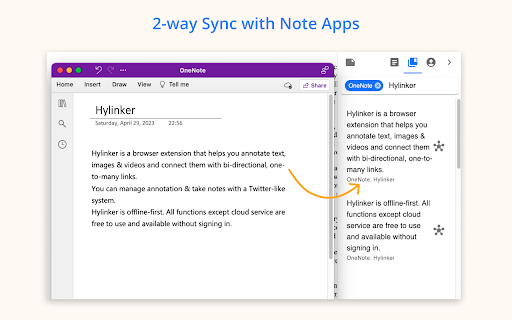
- Sync annotations to OneNote/Notion, linking the annotations and the notes in OneNote/Notion.
Features:
- Free to use, no ads.
- No mandatory sign-in. All functions outside of cloud services do not require sign-in.
- Archive webpages
- Add tags to web pages.
- Automatically load annotations.
- Dark mode.
- Export/Import data
- More for you to discover…
Cloud services (Pro):
- Real-time syncing across devices.
- Integrate with Note Apps (OneNote, Notion). In addition to syncing annotations to Note Apps, you can retrieve notes from Note Apps and connect to them. Don't worry, the data from Note Apps is only saved on your own device and will not pass through our server.
Hylinker Hyperlink among annotation notes web extension integrated with the OffiDocs Chromium online


