

Smart jfm Links in Chrome with OffiDocs
Ad
DESCRIPTION
Enable automatic editing of jfmlinks link. Removes breaks between paragraphs, converts headings to bold and other stuff.
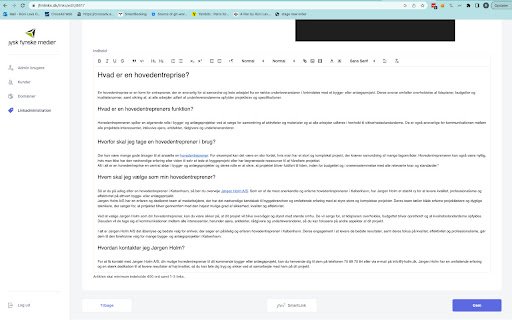
This Chrome extension aims to assist moderators of jfmlinks.dk, by automatically formatting text in WYSIWYG editor on the page.
By clicking the plugin browser icon, the plugin inserts a button on the page containing the WYSIWYG editor. The button is only inserted on pages where editor with selector "div.ql-editor" is found.
The plugin offers 3 types of automatic editor formatting.
1. Convert headings to bold text. H1, H2, H3, and H4 are converted to bold text. Heading elements are replaced by <strong> elements containing the same text.
2. Add "Sponsored text" paragraph to beginning and end of editor.
3. Remove empty elements. All empty H1, H2, H3 H4 and paragraph elements are removed
The inserted button reverts the changes if clicked a second time.
New in version 1.4:
Sponsored text has been changed from "Denne tekst indeholder sponsoreret indhold" to "Denne artikel indeholder sponsoreret indhold".
Smart jfm Links web extension integrated with the OffiDocs Chromium online


