

ChatGPT to PDF by PDFCrowd in Chrome with OffiDocs

Ad
DESCRIPTION
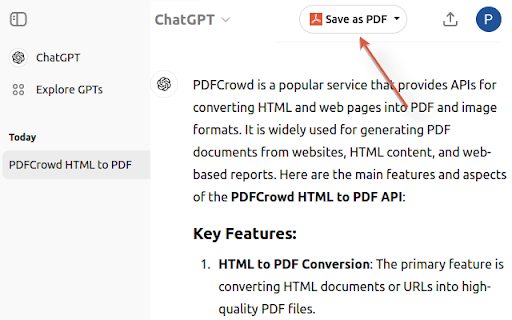
Turn your chats into neatly formatted PDF.
The add-on adds a button to the ChatGPT webpage and with just a quick click, you can turn your chats into neatly formatted PDF files. It's super easy to use - perfect for keeping or sharing your interactions. The add-on uses the PDFCrowd API to create PDF.
Features:
- PDF page size and orientation
- Color theme selection
- Print selected sections only
- Option to exclude prompts from PDF
- Adjustable font size
- Customizable page margins
Important: All generated PDFs include a banner at the bottom which cannot be removed. Purchasing a PDFCrowd license does not remove the banner.
Install/Upgrade: To enable the button, open a tab with ChatGPT, click the puzzle icon in the toolbar, then click the three dots next to the plugin icon and confirm the permissions.
ChatGPT to PDF by PDFCrowd web extension integrated with the OffiDocs Chromium online


![Ice Snow Wallpaper New Tab Theme [Install] in Chrome with OffiDocs](/imageswebp/60_60_icesnowwallpapernewtabtheme[install].jpg.webp)


