

Typenslash in Chrome with OffiDocs

Ad
DESCRIPTION
Execute custom commands from any text input field in the browser
# Type'n'slash - Command Execution from Any Text Field
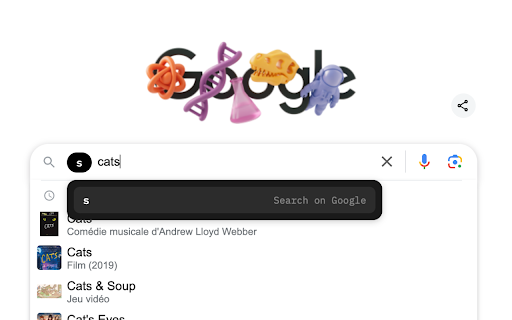
Type'n'slash is a powerful browser extension that transforms how you navigate the web by letting you execute custom commands directly from any text input field. Simply type a slash (/) followed by your command to perform actions instantly.
## Key Features:
- **Execute commands from anywhere**: Use any text field on any website to trigger commands
- **Smart suggestions**: Enjoy autocomplete with prioritized recent commands
- **Parameter support**: Add parameters to commands with simple space-based syntax
- **Poly commands**: Execute multiple actions with a single command
- **Customizable activation**: Choose your preferred activation key (default: /)
- **Command aliases**: Create up to 2 aliases per command for easier recall
- **Extensive command library**: Open websites, search engines, clear history/cache, download pages, open dev tools, and more
- **Full customization**: Configure via user-friendly GUI or JSON
- **Import/Export**: Easily backup and transfer your command configurations
- **Dark mode support**: Enjoy a comfortable viewing experience in any lighting
## Boost Your Productivity:
Type'n'slash eliminates the need to navigate through bookmarks or type full URLs. Search YouTube with "/yt cute cats", open GitHub with "/gh", or create custom poly commands like "/research quantum computing" to search multiple sites at once.
Compatible with all Chromium-based browsers (Chrome, Edge, Brave, Opera) and Orion browser. Transform your browsing experience with Type'n'slash today!
Typenslash web extension integrated with the OffiDocs Chromium online


