

DoFollow Link Highlighter in Chrome with OffiDocs

Ad
DESCRIPTION
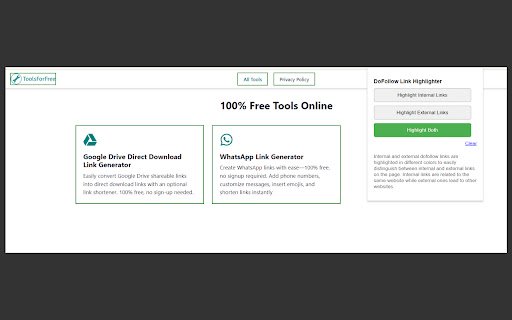
Highlight internal and external dofollow links on a webpage with different colors.
DoFollow Link Highlighter is a simple yet powerful Chrome extension designed to help you visually identify "dofollow" links on any webpage. Whether you are an SEO specialist, content creator, or web developer, this extension makes it easy to distinguish between internal and external dofollow links by highlighting them with different colored borders. You can also clear the highlighting anytime with a single click using the "Clear" button.
✨ Features:
- Highlight Internal Links: Quickly identify all internal dofollow links on a webpage. Internal links (those that point to pages within the same domain) are highlighted with a green border.
- Highlight External Links: Easily spot external dofollow links, which lead to websites outside the current domain. External links are shown with a blue border.
- Highlight Both Internal and External Links: Choose to highlight both internal and external dofollow links simultaneously, with internal links in green and external links in blue.
- Clear Highlighting: The extension includes a "Clear" button, allowing you to remove all link borders with one click. This helps you quickly reset the page to its original state.
- Modern, User-Friendly Interface: The extension features a clean, modern interface with button-like controls for selecting highlighting options. The "Clear" button is easily accessible for quick resets.
- SEO-Friendly: This tool helps SEO specialists and webmasters quickly analyze the link structure of any webpage by showing dofollow links and identifying whether they are internal or external.


