

Draw on Web in Chrome with OffiDocs

Ad
DESCRIPTION
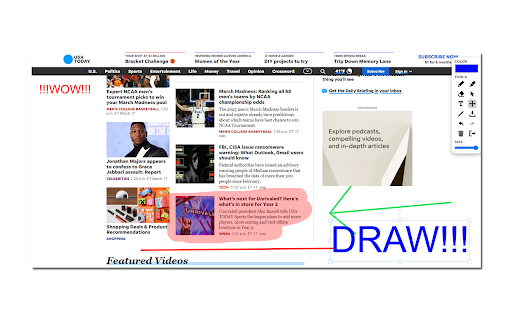
Draw and highlight on any website live. Add text, shapes, and lines. Move, undo, or redo your drawings.
Draw or highlight on any website in real time! Add text, lines, and shapes effortlessly. Move, undo, or redo your drawings with ease.
Draw freely on any webpage or PDF using your mouse or touchscreen, then save your work. With Draw on Web, you can annotate, highlight, and sketch directly on the web.
Instructions:
- Click the puzzle icon in your browser’s top right corner and pin the red Draw on Web icon for quick access.
- Start drawing on any webpage using your mouse or touchscreen.
- Change the marker color by clicking the color box.
- Adjust thickness using the size slider.
- Highlight text with the highlighter tool.
- Erase parts of your drawing with the eraser tool.
- Add text with the text tool.
- Draw straight lines with the line tool.
- Undo or redo actions with the corresponding buttons.
- Right-click the Draw on Web icon to set default color and thickness.
Shortcuts:


